


⚡ Free Express Shipping in USA✦
🔥 Newest Arrival Collection Live Now✦
✨ SUBSCRIBE TO GET YOUR 10% Off✦

Last Updated: August 30, 2026
iPhone users often ask whether MagSafe accessories damage battery life or degrade internal components. The short answer is no, used correctly, MagSafe is designed to be safe. This guide breaks down the science, the myths, and the practical steps that protect your phone's long-term health.
MagSafe accessories are magnetic wireless charging tools built around Apple's inductive charging system. A ring of precisely arranged magnets inside compatible iPhones ensures perfect alignment between the phone and charger, improving charging efficiency compared to standard Qi chargers that can misalign and waste energy as heat.
Inductive charging transfers energy between two coils, one in the charger, one in the phone, using an alternating electromagnetic field. MagSafe's magnetic alignment improves efficiency compared to standard Qi chargers.
The magnets are static and don't generate electromagnetic interference during charging. As documented in Apple's MagSafe technical documentation, the magnetic field strength falls within established safety thresholds for consumer electronics. The magnet ring cannot corrupt data on modern flash storage, nor does it affect the phone's compass or sensors beyond brief automatic calibration.
Wireless charging itself doesn't ruin battery health, but three variables matter: heat generated during charging, how often the battery sits at 100% charge, and voltage regulation quality in the accessory.
Lithium-ion batteries store energy by moving lithium ions between electrodes. Each charge-discharge cycle causes small irreversible chemical changes, capacity fade. Over hundreds of cycles, this accumulates into measurable capacity loss.
Apple states that iPhone batteries retain up to 80% of original capacity after 500 complete charge cycles under normal conditions. For daily users, that's roughly 18 months to two years before noticeable loss.
Two nuances matter: Partial cycles add up slowly. Topping up from 80% to 100% counts as roughly one-fifth of a full cycle, so frequent short top-ups via MagSafe accumulate cycle count more gradually than a single full drain-and-recharge. High state-of-charge creates stress separate from cycle count. Cells experience elevated stress when held at 100% for extended periods, even without charging cycles. Apple's optimized battery charging feature addresses this by holding charge at 80% until shortly before you typically unplug.
Inductive energy transfer is less efficient than wired connections. Some energy dissipates as heat in the charging coil, receiver coil, and space between them. MagSafe's magnetic alignment improves efficiency compared to standard Qi chargers, but still generates more surface heat than wired charging at the same wattage.
Heat matters because lithium-ion cells degrade faster at elevated temperatures. A phone that runs warm during every wireless charging session shows measurably more capacity fade over 12 months than one charging via cable, even with identical cycle counts.
No large-scale published study has directly compared 12-month battery health between wired and MagSafe users under controlled conditions. What is well-established from battery research is the hierarchy of factors driving capacity fade: heat during charging (the largest controllable variable), time spent at 100% charge (managed by optimized charging), total cycle count (accumulates gradually with normal use), and voltage regulation quality (determined by accessory choice).
MagSafe, used with quality accessories in reasonable temperatures, sits in the middle of that risk profile. It generates more heat than wired charging but less than misaligned standard Qi pads. It makes frequent top-ups convenient, reducing deep discharge cycles. Apple's optimized charging handles the high-state-of-charge problem automatically for overnight users.
Users most likely to see accelerated degradation are those who charge in hot environments, use non-certified accessories with poor voltage regulation, or disable optimized charging and leave the phone at 100% for hours.
Heat is the single biggest enemy of lithium-ion battery longevity. Wireless charging, including MagSafe, generates more heat than wired charging because inductive energy transfer is inherently less efficient. MagSafe's magnetic alignment improves efficiency compared to standard Qi chargers, but heat generation remains higher than direct cable connections.
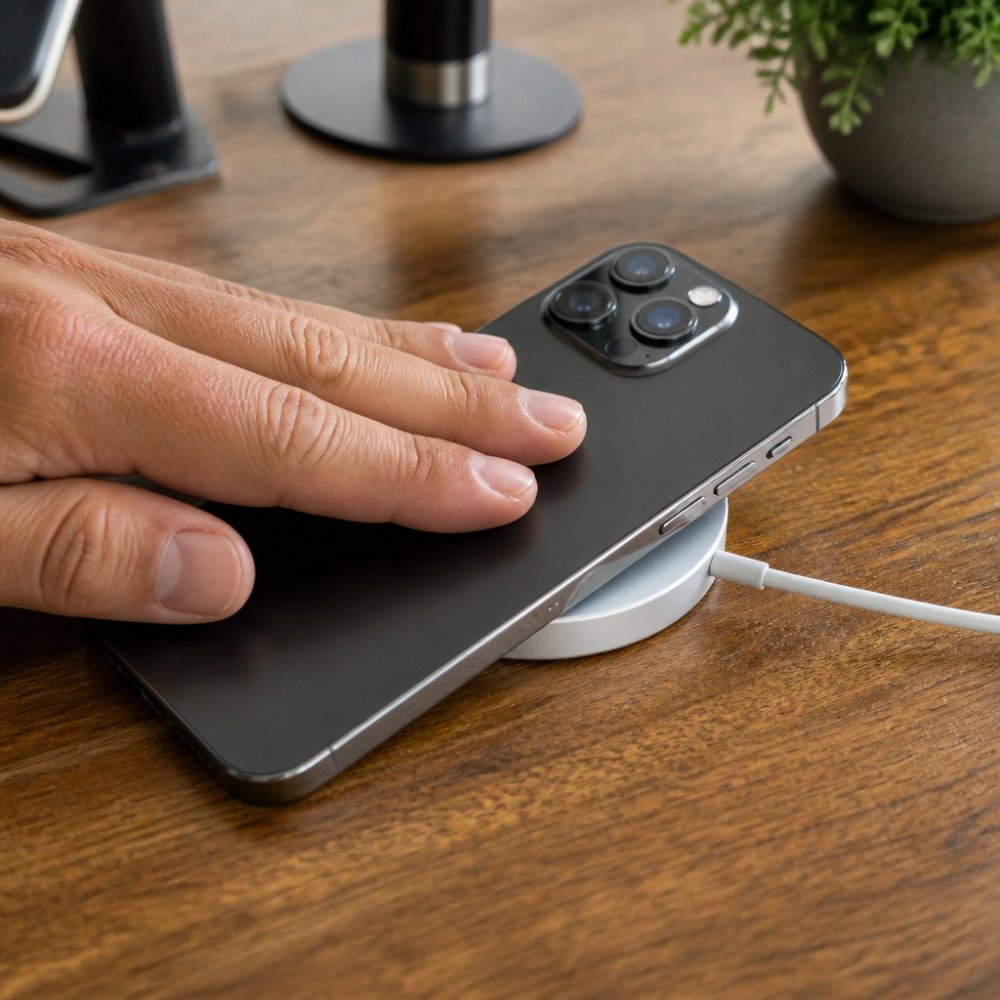
According to Battery University's research on lithium-ion temperature effects, lithium-ion batteries experience accelerated degradation when exposed to temperatures above 30°C (86°F) during charging. Apple recommends keeping iPhones between 0°C and 35°C (32°F to 95°F) during operation.
Situations warranting attention include charging inside a hot car in summer, using MagSafe while running processor-intensive apps, placing the phone face-down on non-breathable surfaces that trap heat, and using thick, poorly ventilated cases blocking heat dissipation. The phone's thermal management system throttles charging speed when detecting excess heat, a protective measure. If the phone feels hot during MagSafe charging, remove the case or move to a cooler surface.
The concern about magnetic damage to internal components needs breaking down by component, the answer differs for each.
The outdated fear of magnets erasing data comes from spinning hard drives. Modern iPhones use NAND flash storage, which stores data as electrical charge states in transistor cells, not magnetic orientations. A magnetic field cannot corrupt flash storage data. The MagSafe magnet ring poses no risk to internal storage.
The iPhone's magnetometer powers the compass in Maps and navigation apps. Placing a magnet against the phone affects compass readings while present. This is expected behavior, not damage. The magnetometer isn't physically altered by the MagSafe magnet ring. When removed, the sensor returns to normal function. The iPhone performs automatic compass calibration when readings drift.
Practical implication: using a MagSafe car mount for navigation is safe, but compass readings may be slightly off while mounted. For turn-by-turn GPS navigation, this is irrelevant, GPS doesn't depend on the magnetometer.
Optical image stabilization (OIS) in iPhone cameras works by suspending the lens module on tiny actuators that physically shift the lens to compensate for hand movement. These actuators are electromagnetic and more sensitive to external magnetic fields than most phone components.
A sufficiently strong external magnet near the camera module can interfere with the actuator's ability to position the lens correctly, resulting in blurry photos or video. Apple's MagSafe is engineered with this in mind. The magnet ring is positioned at the center-back of the phone, and the camera sits in the upper corner, far enough away that field strength at the camera is well below the threshold affecting OIS performance during normal use.
Real risk comes from non-certified third-party magnetic accessories using stronger or differently positioned magnets. MFi certification matters here, certified accessories are tested to confirm their magnetic geometry doesn't interfere with camera performance.
The iPhone's NFC chip handles short-range transactions like Apple Pay. The MagSafe magnet ring doesn't degrade the NFC chip, and Apple Pay functions normally on phones using MagSafe cases and wallets.
The MagSafe magnet ring is strong enough to demagnetize a magnetic stripe card stored loosely between a MagSafe case and the phone. This is the one category of real, non-recoverable damage MagSafe magnets can cause, not to the phone, but to cards.
The fix is straightforward. A MagSafe wallet designed with proper card shielding keeps cards protected without exposing magnetic stripes to the phone's magnet ring. The CarNook MagSafe Wallet Phone Case is built for exactly this use case, cards stay secure and accessible without demagnetization risk.

MFi certification (Made for iPhone) verifies that a third-party accessory meets Apple's technical specifications for power delivery, voltage regulation, and electromagnetic compatibility. An MFi-certified MagSafe accessory has been tested to ensure correct wattage delivery, safe voltage thresholds, and shielding to prevent electromagnetic interference.

Non-certified third-party accessories vary widely. Some perform safely; others cut corners on voltage regulation, causing power delivery spikes that stress the battery's charge management circuitry over time. Poorly shielded accessories may generate more electromagnetic interference than certified equivalents.
| Accessory Type | Voltage Regulation | Heat Management | Recommended Use |
|---|---|---|---|
| Apple MagSafe (official) | Tightly controlled | Optimized | Best for daily charging |
| MFi-certified third-party | Verified to spec | Generally good | Safe for regular use |
| Non-certified third-party | Unverified | Variable | Use with caution |
MFi-certified accessories aren't always more expensive than uncertified alternatives. The certification signals the accessory has been tested. When choosing MagSafe cases or chargers, looking for the MFi badge is a practical way to reduce risk.
Slow MagSafe charging is common and almost always fixable. Understanding the causes helps avoid misdiagnosing charger or phone damage.
Most common causes of slow MagSafe charging speed: Misalignment from thick cases or warped pads reduces speed significantly. Thermal throttling occurs when the phone detects excess heat and reduces charging speed to protect the battery. Incompatible power adapters, MagSafe delivers up to 15W only with a 20W or higher USB-C adapter. Software-triggered optimized battery charging intentionally slows charging to 80% before typical unplugging time. Debris or case interference reduces inductive efficiency and slows power delivery.
Protecting long-term battery health through MagSafe use comes down to consistent habits. None require expensive accessories or significant behavior change.
Practical checklist for MagSafe charging:

Ambient temperature of the charging environment matters as much as the charger itself. Charging on wood or fabric in a cool room dissipates heat more effectively than glass or metal surfaces that retain warmth.
For overnight charging, Apple's optimized battery charging feature handles the most important protection automatically, it holds charge at 80% and completes the final 20% shortly before typical unplugging time, minimizing time at full charge where battery stress is highest.
The CarNook MagSafe Wallet Phone Case and CarNook DotWave MagSafe Phone Case are both designed with magnetic alignment in mind, ensuring the phone sits correctly on a MagSafe pad without the misalignment that slows charging and generates excess heat. Choosing a case built for MagSafe compatibility is a simple way to protect both charging performance and long-term battery health.

MagSafe charging is not inherently bad for your battery when used correctly. The technology is designed with thermal management systems that slow or pause charging when the phone gets too warm. The bigger concern is sustained heat during charging, not the magnetic field itself. Using a certified accessory, keeping your phone out of direct sunlight while charging, and removing thick cases that trap heat will help preserve battery health over time.
Leaving your phone on a MagSafe charger overnight is generally safe. Modern iPhones include an optimized battery charging feature that learns your routine and slows the final charge phase to reduce stress on the lithium-ion battery. The phone stops drawing full power once it reaches 100%. For best results, enable optimized battery charging in your settings and charge in a cool, well-ventilated spot rather than under a pillow or blanket.
Passive magnetic car mounts, which use a metal plate attached to the phone or case rather than the phone's own magnets, can theoretically create a stray magnetic field near internal components. However, modern smartphones store data on NAND flash memory, which is not affected by magnetic fields the way older hard drives were. Compass accuracy can be temporarily disrupted, but it recalibrates once the phone is removed from the mount. MagSafe-compatible mounts that use the phone's built-in magnet array avoid this issue entirely.
Third-party MagSafe accessories vary widely in quality. Accessories that carry Apple's MFi certification have passed testing for voltage regulation, power delivery, and electromagnetic interference standards. Non-certified accessories may skip these safeguards, potentially delivering inconsistent power that generates excess heat and accelerates battery degradation. Choosing MFi-certified or well-reviewed accessories from reputable sellers significantly reduces that risk.
Battery degradation is real, but MagSafe accessories are not the primary cause, heat and poor-quality accessories are. CarNook's collection of MagSafe-compatible phone cases is designed to support proper magnetic alignment and heat dissipation during charging, so the phone charges efficiently without the conditions that accelerate battery wear. Explore CarNook's MagSafe accessories to find cases and charging solutions built for daily use and long-term device health.
This article was written using GrandRanker

