


⚡ Free Express Shipping in USA✦
🔥 Newest Arrival Collection Live Now✦
✨ SUBSCRIBE TO GET YOUR 10% Off✦

Last Updated: October 5, 2026
Navigating unfamiliar roads while driving a rental car presents a unique challenge. Your personal phone mount won't fit the rental vehicle's dashboard, and you can't modify the interior without risking your security deposit. A phone mount for rental cars solves this problem by offering secure, damage-free phone placement without permanent installation.

Rental car interiors vary significantly, dashboard shapes, vent designs, and windshield angles differ between compact sedans, SUVs, and trucks. The right mount adapts to these differences while remaining portable enough to pack into your luggage.
A secure phone mount reduces distractions, letting you follow GPS directions and maps without fumbling with your device while navigating unfamiliar roads.
Portability and damage-free removal are the defining requirements. A mount that leaves residue, scratches the dashboard, or damages vent slats will cost you money when you return the vehicle. The best phone mount for rental cars balances secure grip with safe, clean removal.
Dashboard mounts sit on the dashboard surface using adhesive or suction, offering excellent visibility for navigation across most rental vehicle types.
The CarNook™ DashGrip Phone Mount is designed for dashboard placement with an adjustable viewing angle that reduces neck strain. Its compact, foldable design keeps your dashboard uncluttered when returning the rental.
Installation takes seconds: place the mount on a clean, dry surface. The grip mechanism accommodates most smartphone sizes. Removal is straightforward, lift and store with no residue, scratches, or damage.
Dashboard mounts work well for drivers who want maximum visibility and work best on flat, smooth surfaces, though they do occupy visible dashboard space.
The defining challenge of rental car phone mounts is removal without damage, adhesive residue, scratches, and marks cost money at return. A removable mount must grip securely while leaving no evidence of installation.
Suction and vent mounts excel at this, both clamp onto existing vehicle features rather than adhering to surfaces, leaving no damage or residue.
Windshields and vent slats handle moderate pressure well, but dashboard plastic is vulnerable to scratches. Prioritize mounts that distribute pressure evenly with smooth contact points.
If a mount feels stuck, gently rock it side to side rather than pulling straight up. Follow the manufacturer's removal instructions to protect both your phone and the rental.
Suction mounts use air pressure to grip smooth glass or plastic surfaces. They work on windshields, which are present in every rental vehicle, but present specific challenges worth understanding.
How Suction Strength Works in Rental Vehicles
Suction strength depends on surface cleanliness, cup condition, and environmental factors. Clean the mounting surface with a dry cloth before installation, dust and residue break the air seal. Check the cup for cracks, cloudiness, or wear, which reduce holding power in heat or rough conditions.
Suction mounts work best on windshields because glass is smooth and consistent. Dashboard surfaces vary dramatically and may prevent a complete seal. Before driving, test the mount with light pressure. If suction feels weak, relocate to the windshield or try a different mount type.
Heat and Vibration: Rental-Specific Challenges
Heat can soften the suction cup and reduce grip. In hot climates, check your mount periodically, especially after long parking periods. Some drivers remove the mount during extended parking to preserve suction power.
Vibration from highway driving gradually stresses the suction seal. Stop periodically to confirm the mount hasn't shifted and the cup still grips firmly.
Windshield vs. Dashboard: Rental-Specific Trade-Offs
Windshield mounting requires no dashboard modification and won't affect your security deposit. Position the mount at the edge of your field of view to maintain visibility of the road, traffic, mirrors, and controls.
Dashboard suction mounts carry higher risk in rentals because you don't know the surface condition or history. If you choose dashboard mounting, inspect carefully and test the suction before driving.
Diagnosing Suction Failure Before It Becomes a Problem
Before driving, confirm the mount holds your phone by gently tugging downward and testing side-to-side movement. If you feel any give or hear a popping sound, the seal is incomplete. Clean both cup and surface and try again. If suction still feels weak, switch to a vent or magnetic mount.
If your suction mount fails during your trip, pull over safely and either reposition it or use an alternative holding method until you can replace it. A falling phone can cause accidents and distract you at a critical moment.
Air-vent mounts clip directly onto dashboard vents, using the vent slats as an anchor point. This design works across nearly all rental vehicles because every car has climate control vents. For rental car drivers, vent mounts offer a damage-free alternative to dashboard adhesive, but they require careful inspection and proper technique to avoid costly damage to the rental's interior.
Understanding Vent Designs Across Rental Vehicle Types
Vent designs vary significantly across rental fleets. Compact sedans often have narrow, horizontal vents with thin plastic slats. SUVs and trucks may have wider vents with thicker slats or adjustable louvers. Some newer rental vehicles have vents with integrated air-direction controls that can be damaged if a mount clamp is positioned incorrectly. Before clamping your mount, spend a moment examining the vent structure. Look for the direction the slats run, the thickness of the plastic, and any moving parts or controls. This inspection takes 30 seconds and prevents damage that could cost you money at return.
Inspecting for Pre-Existing Damage
Always inspect the vent slats before clamping your mount. Look for cracks, bends, loose slats, or signs of previous damage. Rental vehicles see heavy use, and you may encounter a vent that's already compromised. If slats appear cracked, loose, or bent, choose a different mounting location, either a different vent or a suction mount on the windshield. Clamping your mount to a damaged vent can make the damage worse and create a dispute about responsibility when you return the vehicle. Taking a photo of any pre-existing damage on your phone provides documentation if questions arise later.
Proper Clamping Technique to Avoid Damage
Vent mounts distribute pressure across multiple slats rather than concentrating force on a single point. This design reduces the risk of breaking or bending vent slats, but only if you clamp correctly. Position the mount so the clamp pads contact the vent slats evenly. Tighten the clamp gradually, do not over-tighten. Many rental car damage claims result from drivers clamping too hard, which bends or cracks the slats. The mount should hold your phone securely without requiring maximum clamping force. If the mount feels loose with moderate clamping, the vent may not be suitable for that particular mount, or the mount may not be compatible with that vent design. Try a different vent or mounting type.
Vent Location and Viewing Angle
CarNook™ DashGrip Phone Mount →
The vent mount's viewing angle depends on where the vent sits on your dashboard. Center vents often provide the best sightline for navigation and typically have more robust construction than side vents. Side vents may angle your phone awkwardly or position it outside your natural line of sight, requiring excessive head movement. Test the angle before driving to confirm you can see the screen without excessive head movement and without obstructing your view of the road, mirrors, or dashboard controls.
Some rental vehicles have vents positioned very high on the dashboard or at extreme angles. In these cases, a vent mount may not be practical. Suction mounts on the windshield or dashboard mounts on a flat surface may work better.
Airflow Trade-Off in Different Climates
Vent mounting blocks airflow through that vent. In hot climates or during summer driving, losing one vent's cooling capacity may feel uncomfortable, especially if you're driving through desert regions or stopped in traffic. In mild weather or during spring and fall, this trade-off is negligible. Consider the climate, the season, and your route when deciding whether a vent mount suits your rental. If you're renting in a hot climate and concerned about cooling, a suction mount on the windshield or a dashboard mount may be a better choice.
Removal Without Damage
When returning the rental, unclip the mount slowly and carefully to avoid bending slats. Do not twist or pull forcefully. If the mount feels stuck, gently rock it side to side while slowly releasing the clamp pressure. Take your time during removal, this is where most vent damage occurs. Once removed, inspect the vent slats to confirm they're intact and in their original position. If you notice any bending or damage you didn't see before, document it with a photo and report it to the rental company immediately rather than hoping they don't notice.
Portability for Travel
Vent mounts are lightweight and compact, making them ideal for travelers packing light. They stow easily in a carry-on or small bag and don't add significant weight to your luggage. This portability is one of the key advantages of vent mounts for rental car travel. Removal is simple: release the clamp and store the mount. No adhesive, no residue, no damage to the rental's interior, assuming you've clamped and unclamped correctly.
A phone mount that slips or falls during driving is more than an annoyance, it's a safety hazard. If your mount keeps falling off, the cause is usually one of three issues: inadequate grip strength, mounting surface problems, or environmental factors.
Grip strength depends on mount design and phone weight. Heavier phones require stronger holding mechanisms. Dashboard mounts using friction pads need adequate contact pressure. If your phone is heavier than the mount was designed for, consider switching to a suction or magnetic mount with greater holding capacity.
Surface problems are common in rental cars. Dashboard plastic may be textured, curved, or dirty. Dust, dirt, and residue reduce friction and suction effectiveness. Clean the mounting surface thoroughly with a dry cloth before installing. Remove any protective film or coating that might be on a new rental's dashboard.
Environmental factors matter more in rental cars than in personal vehicles. Heat causes dashboard plastic to expand slightly, which can loosen a mount's grip. Vibration from rough roads or highway driving can gradually shift a mount's position. Check your mount periodically during long drives, especially in hot weather or on uneven roads.
If your mount continues to slip after cleaning and repositioning, the mount itself may be worn or damaged. Replace it rather than risk your phone falling while driving. A new mount is cheaper than a damaged phone or the distraction of a falling device on the road.
Proper installation is the foundation of a secure, damage-free mount. Follow these steps to ensure your phone stays safe throughout your rental period.
Step 1: Clean the mounting surface. Use a dry cloth to remove dust, dirt, and residue from the area where you'll install the mount. For suction mounts, clean the glass or plastic thoroughly. For vent mounts, wipe the vent slats. A clean surface is essential for grip strength and damage-free removal.
Step 2: Position the mount for visibility and safety. Test the mount's position before final installation. Ensure you can see your phone screen without excessive head movement. The mount should not obstruct your view of the road, mirrors, or dashboard controls. Adjust the angle and location until the viewing position feels natural.
Step 3: Install according to the manufacturer's instructions. Different mounts have different installation requirements. Dashboard mounts may require pressing firmly for several seconds. Suction mounts need to be twisted to create an air seal. Vent mounts require careful clipping to avoid pinching vent slats. Follow the specific instructions for your mount to ensure proper installation.
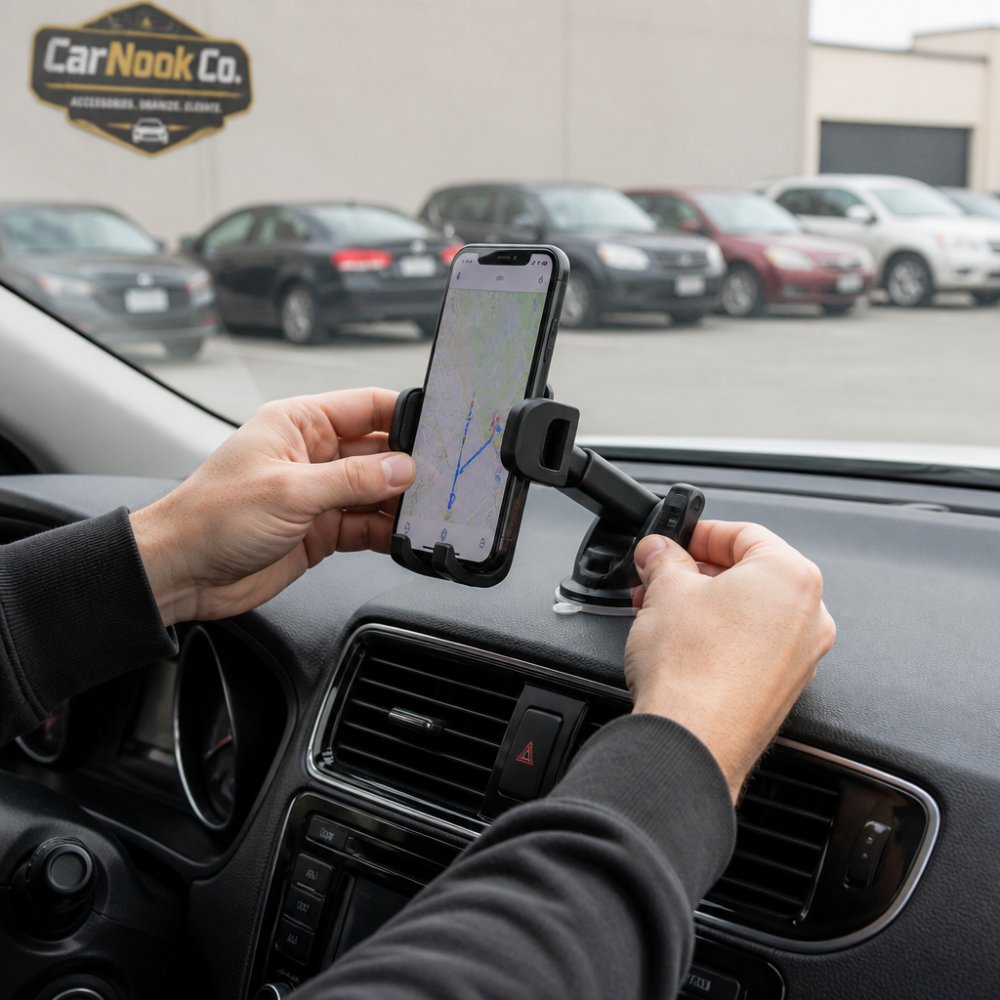
Step 4: Test the mount's security. Before driving, apply moderate downward pressure to your phone. The mount should hold firm without shifting. Try gentle side-to-side movement. If the mount feels loose, reinstall it or reposition it to a different location.
Step 5: Check the mount during your trip. Stop periodically to confirm the mount hasn't shifted. In hot weather or after highway driving, vibration may gradually loosen a mount. A quick check takes seconds and prevents problems.
Step 6: Remove carefully when returning the rental. Suction mounts should be twisted gently to break the air seal before lifting. Vent mounts should be unclipped slowly to avoid bending slats. Dashboard mounts should be lifted straight up without twisting. Take your time during removal to ensure no damage to the vehicle.
Your phone's size, weight, and case affect which mount will work best. Many rental car drivers already own phone cases they prefer, protective cases, MagSafe-compatible cases, or minimalist designs. The right mount should work with your existing case rather than requiring you to remove it.
Universal mounts are designed to accommodate phones of different sizes. The CarNook™ DashGrip Phone Mount works with many smartphone sizes through its adjustable grip mechanism. This compatibility matters when you're renting a car and don't want to remove your phone from its protective case.
Check your phone's width and weight against the mount's specifications. Heavier phones may require mounts with stronger grip mechanisms. If your phone is at the edge of the mount's compatibility range, test it before relying on it for navigation.
Phone cases add thickness and weight. Thick protective cases may not fit some mount grips. Thin cases typically pose no problem. If you use a thick case, verify that your chosen mount can accommodate the extra bulk. Removing and reinstalling your case for each rental trip defeats the purpose of having a portable mount.
MagSafe-compatible cases work with magnetic mounts. If your phone or case has MagSafe capability, a magnetic mount like the CarNook™ MagClip Phone Holder offers strong, reliable holding with one-hand attachment and removal. Magnetic mounts are particularly useful for rental cars because they grip securely without requiring the precise positioning that friction-based mounts need.

The best phone mount for rental cars combines secure grip, damage-free removal, and portability. Dashboard mounts like the CarNook™ DashGrip offer excellent visibility and simple installation. Suction and vent mounts provide strong holding without modifying the rental's interior. Magnetic mounts deliver one-hand convenience for compatible phones.
Your choice depends on your rental vehicle type, your phone's weight and size, and your preferences for visibility and dashboard space. Test your mount before driving to confirm it holds your phone securely. Check it periodically during your trip, especially in hot weather or on rough roads. Remove it carefully when returning the rental to protect your security deposit.
CarNook Co. offers phone mounts designed for travel and everyday use. The DashGrip and MagClip mounts are compact, portable, and work across different vehicle types, exactly what rental car drivers need. Explore CarNook's collection of car phone mounts and travel accessories to find the right solution for your next rental car trip.
Use removable mounting options like suction cups or vent mounts that don't require adhesive or drilling. Suction cups work on smooth dashboard surfaces, while vent mounts clip directly to air vents. Always test the surface first and avoid mounting on textured or soft-touch dashboards. Check your rental agreement before installing anything, and inspect the area after removal to ensure no damage or residue remains.
Dashboard surfaces vary widely across rental cars. Textured, soft-touch, or dirty surfaces prevent suction cups from gripping properly. Clean the mounting surface thoroughly with a dry cloth before installation. If the surface is textured or curved, a vent mount or dashboard mount with mechanical gripping may work better. Heat and vibration from driving can also weaken suction over time, especially on longer trips.
Yes, magnetic mounts work well in rental cars because they require no adhesive or suction. The CarNook™ MagClip Phone Holder uses a strong magnetic hold and is lightweight and easy to carry, making it ideal for travel. Magnetic mounts work with compatible magnetic phones and cases. They attach to metal surfaces or use a small metal plate on your phone case, offering one-hand attachment and removal without leaving marks.
Suction cup mounts may leave temporary marks if the surface is very smooth, but they typically don't cause permanent damage. Vent mounts and dashboard holders that don't use adhesive leave no residue. Avoid adhesive-based mounts in rental cars. Always remove mounts carefully and inspect the area. If any residue appears, gently clean with a soft, dry cloth. Your rental agreement may require the car to be returned in its original condition.
Renting a car shouldn't mean sacrificing convenient, hands-free navigation. The right phone mount keeps your device secure while leaving your rental's interior undamaged. CarNook Co.'s phone mounts are engineered for portability and easy installation, so you can focus on the road. Discover which mount works best for your driving style and phone by browsing CarNook's car phone mount options today.

