


⚡ Free Express Shipping in USA✦
🔥 Newest Arrival Collection Live Now✦
✨ SUBSCRIBE TO GET YOUR 10% Off✦

Last Updated: October 17, 2026
A wireless charging car mount is a dashboard or vent accessory that holds a phone in place while charging it through induction, with no cable plugged into the device. For iPhone owners who use navigation daily, the appeal is simple: you set the phone down and it starts charging.
Plugging in a cable sounds trivial until you do it dozens of times a week. The port collects lint, the cable kinks near the connector, and one-handed plugging at a red light is a daily annoyance. A mount that charges on contact removes that step entirely.
CarNook Co. builds its car accessories around this problem: keeping a phone visible, powered, and reachable without clutter. This guide breaks down what separates a mount that works from one that ends up in a drawer.
A MagSafe car mount with charger uses a ring of magnets to align an iPhone with the charging coil automatically. Alignment matters because wireless charging is positional: a coil that sits even slightly off-center loses efficiency and produces more heat.
Apple introduced MagSafe on the iPhone 12 lineup, and every iPhone released since includes the magnet array. That means an iPhone 12 or newer can snap to a magnetic mount directly, with no adapter. Older iPhones, and Android phones without a magnet ring, typically need a magnetic case or a metal plate to use the same mount.
Two terms get mixed up constantly, so keep them separate:
A magnetic mount also changes how you interact with the phone. One hand places it, one hand removes it, and there are no clamps to squeeze. [CarNook's Magnetic Wireless Car Mount](https://www.carnookco.com/products/intelligent-mobile-phone-holder-double-sided-car-mount-magnetic-universal-adsorption-bracket-vacuum-adsorption-stable-for-phone) follows this approach, pairing a strong magnetic hold with a wireless charging surface and an adjustable viewing angle.

A Qi wireless car charger for iPhone transfers power through a copper coil using the Qi standard, the same baseline technology found in most wireless charging pads. The mount's coil creates a magnetic field, the phone's coil converts it back into current, and the battery charges.
The Wireless Power Consortium, which maintains the Qi standard, defines how devices communicate before power transfers. Newer Qi2 hardware adds a magnet-based alignment system similar in concept to MagSafe, which is why Qi2 and MagSafe-compatible mounts often look alike.
Where it fits well:
Where it fits less well:
iPhone car mount compatibility comes down to three variables: whether the phone has a magnet array, whether the case interferes with charging, and what wattage the mount and power adapter can deliver together.
Use this matrix before buying:
| iPhone Model | Built-in Magnet Array | Works With Magnetic Mount Directly | Notes |
|---|---|---|---|
| iPhone 17 series | Yes | Yes | Aligns without an adapter |
| iPhone 16 series | Yes | Yes | Aligns without an adapter |
| iPhone 15 series | Yes | Yes | Aligns without an adapter |
| iPhone 14 series | Yes | Yes | Aligns without an adapter |
| iPhone 13 series | Yes | Yes | Aligns without an adapter |
| iPhone 12 series | Yes | Yes | First lineup with the magnet array |
| iPhone 11 and earlier | No | No | Needs a magnetic case or metal plate |
Case thickness is the second variable. A thin case usually passes power without issue. A thick rugged case, a folio with card slots, or anything with metal in the back can block the field or weaken the magnet grip. If a case is described as MagSafe-compatible, it typically contains its own magnet ring that lines up with the mount.
Charging speed is the third. Many mounts advertise a maximum output, but the phone only draws what it can accept, and the power adapter caps the ceiling. Match the adapter to the mount and check the phone's supported wireless charging rate.
Mounting style affects stability, reach, and how much of your view the phone blocks. Each type trades one advantage for another, and the right choice often depends less on the mount than on the vehicle it goes into.
| Mount Type | Best For | Trade-Offs |
|---|---|---|
| Vent mount | Quick install, easy reach, clean look | Can sag on soft or curved vents; may block airflow |
| Dashboard mount | Stable base, good sightline | Adhesive can leave residue; placement is semi-permanent |
| Windshield mount | Adjustable position, removable | Suction can weaken in heat; arm may obstruct view |
| Suction-cup mount | Flexible placement on glass or dash | Surface must be flat and clean for a firm hold |
Vent mounts clip into the louver blades and sit close to the driver, which keeps the phone in easy reach for navigation. The catch is that not every vent is built for the weight of a phone plus a charging coil. Thin, rounded, or motorized vents may not hold firmly, and blocking a vent can change how your cabin heats and cools.
Before buying a vent mount, check three things:
Blocking airflow is a real trade-off. A phone in front of a vent can cool in summer, which may help charging, but a hot vent in winter can warm it. If you rely on that vent for cabin comfort, consider a dashboard or windshield mount instead.
Dashboard mounts use an adhesive base or a weighted pad. They hold steady and put the phone at a comfortable angle, but repositioning is a hassle and adhesive can mark certain dash materials.
Dashboard plastics vary widely. Textured, soft-touch, and vinyl-wrapped surfaces can resist adhesive, while some plastics release oils that weaken the bond over time. Adhesive mounts often hold well on smooth, hard plastic and less well on porous or heavily textured surfaces. Check the product's guidance on compatible surfaces, and test in an inconspicuous spot if unsure.
Placement also matters for safety and legality. Avoid positions that block your view of the road or sit in front of an airbag panel. State rules on windshield and dashboard obstructions vary, so check your local requirements before mounting.
Windshield mounts rely on a suction cup and an adjustable arm. They offer flexibility for angle and distance, though a long arm can bounce over rough pavement and the suction can loosen in a hot car.
Suction performance depends on the surface and temperature. Glass is usually the most reliable surface for a suction cup; textured or curved dash surfaces are less so. Heat can soften the cup and reduce grip, which is why some drivers re-seat it seasonally. Cleaning the glass and cup, then letting both dry fully, often restores grip.
A few vehicle-specific checks can save a return:
CarNook™ Wireless Charging Car Mount →
CarNook's Wireless Charging Car Mount includes a strong suction-cup mounting design with an adjustable viewing position, which suits drivers who want to set the angle once and leave it. If your vent is the only practical spot, a vent-compatible option may fit better; check the product listing for the vent types it supports before ordering.
Installing a wireless car charger mount takes about ten minutes and requires no tools for most models. The steps below apply to suction, vent, and adhesive types, with the differences noted.
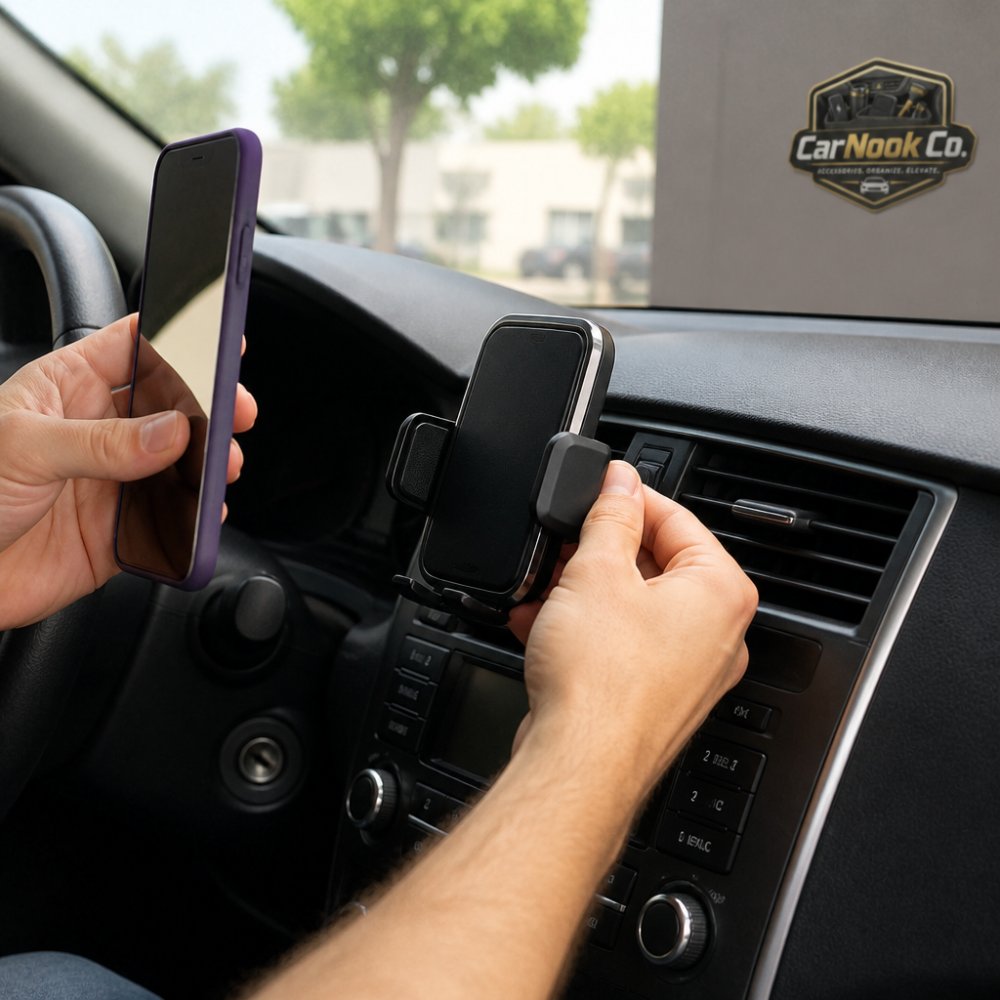
Real-world charging rarely matches a spec sheet, because driving adds heat, vibration, and screen use. A phone running navigation at full brightness draws power continuously, so the mount charges against an active load. Here is what actually happens to charging speed once the phone is mounted, navigating, and sitting in a warm cabin.
A mount's rated output is the most it can deliver under ideal conditions. What the phone actually accepts depends on several things at once:
Navigation, streaming, and hotspot use all pull current. On a long trip with the screen on, a wireless mount may maintain the battery rather than add much charge. That is not a fault; it is the phone balancing incoming power against outgoing draw.
A common pattern is for the battery percentage to hold steady during navigation-heavy driving rather than climb. If you need to add charge on a short trip, a direct cable typically delivers more power in less time. If your goal is to arrive with a topped-up phone after hours of driving, a wireless mount paired with a matched adapter can usually keep pace with navigation use, depending on the phone and mount.
Charging generates heat, and so does running the screen and GPS. When the phone warms up, many phones slow charging as a protective behavior rather than a fault. In a car, three heat sources can stack:
Many phones slow charging when they warm up, and some may pause entirely until the device cools. If you notice charging interruptions on bright days, heat is a likely cause before hardware failure.
Vibration matters too, but mostly for the mount rather than the charge. A rigid arm on a stiff suspension can transmit a lot of shake to the phone. A mount that holds the phone flat against a surface tends to move less than one on a long, unsupported arm. Movement can shift the phone slightly off the coil, which reduces efficiency and adds heat, so a stable mount is also a cooler, more consistent charger.
A short loop can reveal more than a spec sheet:
If charging drops out repeatedly, check alignment and case thickness first, then heat, before assuming the mount is defective.
Heat is the main long-term concern with any wireless charging setup. Lithium-ion batteries age faster when they sit at high temperatures, and a hot car plus active charging is a tough combination.
Practical habits that help:
On durability, the parts that wear out first are usually the suction cup, the adhesive pad, and the cable, not the electronics. Suction cups lose grip as the material ages and picks up dust; a quick wash and air dry often restores them. Cables fail at the connector from repeated bending. Mounts with automatic clamping arms have moving parts that can loosen over time, so check the grip periodically.
Warranty terms differ by product and seller, so confirm coverage before buying rather than assuming a standard length.
The sticker price is only part of the total, because a wireless mount needs a power source and sometimes a case upgrade. Budget for the full setup, not just the mount.
What to check in the box:
CarNook's Wireless Charging Car Mount is listed at $39.99 and includes the mount, with charging support up to 15W depending on the device and power source. The Magnetic Wireless Car Mount is listed at $34.99 and includes a charging cable or accessories depending on the variant selected.
If a power adapter is not included, add that to the budget. If the current case is thick or has metal in it, add a MagSafe-compatible case. Checking the box contents first prevents a surprise.
The right wireless charging car mount for iPhone comes down to three checks: the phone has a magnet array or a compatible case, the mount type suits your vents or dash, and the power adapter matches the mount's input. Get those right and the daily plug-in routine disappears.
CarNook Co. keeps that decision simple with mounts built for real driving, including a suction-cup wireless charger with automatic clamping and adjustable viewing, and a compact magnetic vent mount for a cleaner dashboard. Browse the car phone mounts and MagSafe accessories collections to match a mount to your phone and your vehicle.
Most iPhone models from the iPhone 8 onward support Qi wireless charging, so a wireless charging car mount can work with them. For MagSafe-compatible mounts, you need an iPhone 12 or later for the magnetic alignment to work without a magnetic case. Always check the mount's listed compatibility and your iPhone model to confirm. If your phone supports Qi, a standard wireless charging mount will typically charge it, though speeds may vary depending on the mount and power adapter.
Not always. Many iPhone cases are thin enough to allow wireless charging, but thick or metal cases can block the charging signal or weaken the magnetic hold on MagSafe-compatible mounts. If you use a MagSafe car mount with charger, a MagSafe-compatible case can help ensure proper alignment. For Qi wireless car chargers, a case that is not too thick and does not contain metal usually works. Test your case with the mount to confirm charging and grip.
Charging can stop for several reasons: the phone may have shifted out of alignment, the case may be too thick, or heat buildup may cause the phone to pause charging to protect the battery. Cable or power adapter issues can also reduce power delivery. Make sure the mount is securely installed and the phone is centered. If overheating is a concern, avoid direct sunlight on the phone and ensure the mount's vents are not blocked. Check the manufacturer's instructions for troubleshooting.
The best spot depends on your car's layout and your viewing preferences. A dashboard mount keeps the phone within easy reach and can reduce windshield obstruction. A vent mount uses airflow to help keep the phone cool but may block a vent. A windshield mount offers adjustable viewing angles but can be affected by sun exposure. Choose a location that does not block your view of the road and allows comfortable access. Follow the mount's installation instructions for secure placement.

