


⚡ Free Express Shipping in USA✦
🔥 Newest Arrival Collection Live Now✦
✨ SUBSCRIBE TO GET YOUR 10% Off✦

Last Updated: October 6, 2026
A MagSafe-compatible case is a phone case built with a ring of magnets positioned to line up with the magnetic array inside a MagSafe iPhone. That alignment is what lets chargers, wallets, and mounts snap on and stay put.

The magnet ring is the whole story. Without it, a case is just plastic or leather wrapped around a phone.
This guide from CarNook Co. walks through how to tell if a phone case is MagSafe compatible, using simple checks anyone can do at home. No special tools needed. No guesswork.
Knowing the answer matters more than it used to. A case that looks right but lacks proper magnets can leave a charger sliding off or a car mount failing to grip. The good news: the signs are easy to spot once you know what to look for.
The built-in magnetic ring is a circular set of magnets embedded in the back of the case. It sits in a fixed position, usually near the center, so it lines up with the matching magnets inside the phone.
Cheap cases sometimes use generic magnets scattered in random spots. Those may stick to a fridge, but they will not line up with a charger or mount.
A real MagSafe-compatible case uses a ring shaped to match the phone's internal magnet array. That shape is what makes attachment reliable instead of hit-or-miss.
Magnet alignment matters because the wireless charging coil sits in the same area. When the magnets line up, the charger sits in the right spot over the coil. Power can flow at the intended rate.
When alignment is off, the charger may still stick, but the phone can charge slowly or stop charging. That is the difference between a case that merely holds and one that actually works.
A visible ring is a useful first clue, but it is not proof on its own. Treat this step as a screening check, not a verdict. The goal is to gather evidence you can confirm later with a charger.
Start with the back of the case in good, angled light. Many MagSafe-compatible cases show the ring in one of a few ways:
Turn the case slowly under a lamp. A ring that is off-center, pushed toward the camera, or clustered near the edges is a warning sign. Genuine MagSafe alignment sits in a fixed position that lines up with the phone's internal magnet array and the wireless charging coil beneath it.
If you still have the box or the product page, read the wording carefully. Phrases that suggest real compatibility include:
A listing that only says "magnetic" or "magnet case" is not the same thing. Generic magnets can hold a wallet or stick to a fridge without lining up with a charger. That distinction matters for both attachment and charging.
This is the situation behind a lot of searches, and it deserves an honest answer. Without a box, a product page, or a model number, you cannot confirm MagSafe compatibility from looks alone. What you can do is build a short evidence list:
If two or more of those checks pass, the case is worth testing with a charger. If none pass, treat it as a regular case until proven otherwise.
Magnetic ring placement and phone dimensions vary across models and case generations. A case built for one iPhone may not align the same way on another, even if it physically fits. Camera bumps, button positions, and overall body size all shift where the ring can sit. That is why a case that snaps firmly to a charger on one phone can feel weak or off-center on a different one.
The charger test is the most reliable check you can do at home, but it has two parts that people often blend together: does the case hold magnetically, and does the phone actually charge? A case can pass one and fail the other. Test them separately so you know what you are dealing with.
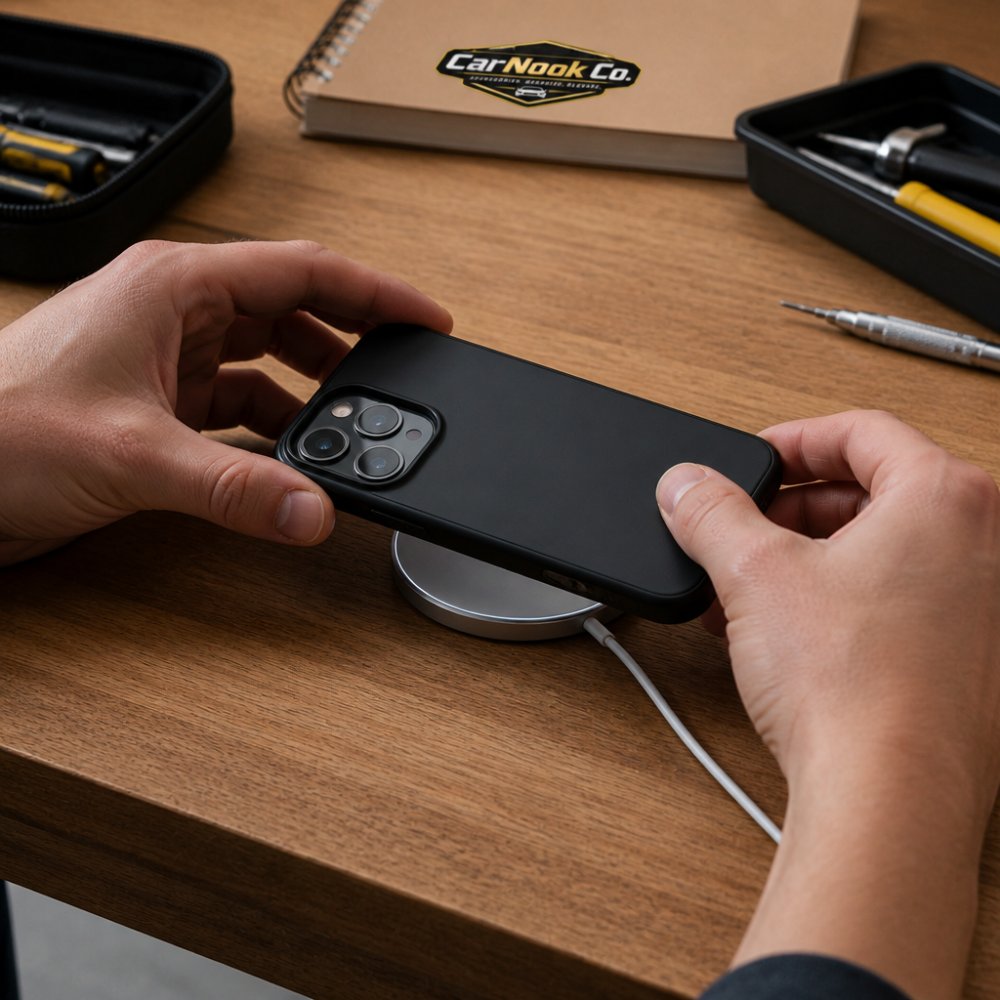
Do not force the charger into place or yank the cable hard. A light pull is enough to show whether the magnets are doing their job.
Attachment and charging are not the same thing. A case can hold a charger firmly and still fail to deliver power if the magnets are misaligned with the coil, if the case is too thick, or if something inside the case interferes with the field.
To confirm charging:
If the charger snaps on but the battery does not move, the case is holding without supporting charging. That is a different problem from a case that will not stick at all.
Use this sequence for any case, labeled or not:
If the case fails one or both parts of the test, work through these in order before deciding it is incompatible:
If none of these help, the case likely lacks a true magnet ring or a coil-aligned design. In that case, a MagSafe-compatible case is the fix.
CarNook™ DotWave MagSafe Phone Case →
MagSafe can work through a regular case, but only if the case is thin and does not block the magnets. A thick or metal-backed case can weaken or block the magnetic field entirely.
Here is the catch: a regular case has no magnet ring of its own. Even a thin one may let a charger stick weakly, but the hold is often inconsistent.
Materials matter too. Metal plates, some wallet inserts, and certain grips can interfere with the magnetic field. A copper shield or metal layer inside a case can block it outright.
So the honest answer is: sometimes, but not reliably. If steady charging and a firm grip matter, a MagSafe-compatible case is the safer bet.
The main difference comes down to magnets and alignment. A MagSafe case has a built-in ring that lines up with the phone. A regular case does not.
| Feature | MagSafe-Compatible Case | Regular Case |
|---|---|---|
| Built-in magnet ring | Yes | No |
| Aligns with charging coil | Yes | Not reliably |
| Holds magnetic mounts | Firm hold | Weak or none |
| Works with magnetic wallets | Yes | Usually no |
| Charging speed | Consistent | Can drop or stop |
| Case thickness | Tuned for magnets | Varies widely |
That table sums up the practical gap. A regular case can still protect the phone well. It just will not give the same magnetic attachment or charging alignment.
Case thickness and case material both play a role. A MagSafe case is usually built so the magnets sit close enough to the phone to work, while still offering phone protection.
For car mounts, a MagSafe-compatible case is the better choice. The built-in ring gives a magnetic mount a firm, centered grip, which matters when the road is not smooth.
Look for a case with a clear magnetic ring and a snug fit. A loose case can shift, and shifting throws off alignment.
CarNook Co. carries several MagSafe-compatible cases built for everyday driving. The CarNook™ DotWave MagSafe Phone Case has a built-in magnetic ring and raised edges to help protect the camera and screen. For a cleaner look, the CarNook™ RidgeMag Leather Phone Case pairs a textured finish with built-in magnetic compatibility.

Both are designed for select iPhone models, so check the listing for your phone model before buying.
Weak charging or slipping usually points to one of a few common causes. Working through them in order saves time.
Start with alignment. Take the phone out, then place it back on the charger and watch for the snap. If it does not snap, the magnets may be weak or missing.
Next, check for interference. Remove any magnetic wallet, metal plate, or grip from the back. These can block the magnetic field or push the charger off-center.
Then check the case fit. A case that is too thick can keep the charger from sitting close enough to the coil. A loose case can let the phone shift during charging.
If the charger still will not hold, try a different MagSafe charger. That tells you whether the problem is the case or the charger.
A few quick fixes to try:
If none of these help, the case likely lacks a true magnet ring. In that case, a MagSafe-compatible case is the fix.
Telling a MagSafe-compatible case from a regular one comes down to a few clear signs: a visible ring, a snug fit, and a charger that snaps into place and stays there. Test any case before you trust it on the road.
CarNook Co. offers MagSafe-compatible cases and accessories made for daily driving. The DotWave and RidgeMag cases both include a built-in magnetic ring, and the CarNook™ MagStand Phone Case adds a built-in ring stand for hands-free viewing. Explore the CarNook Co. collection to find a case that keeps your phone secure and your charging steady.

You can add MagSafe-compatible functionality to many cases by attaching a magnetic ring accessory, but results vary by case thickness and material. A case that is too thick or lacks a flat surface may not hold the ring securely or allow proper magnet alignment. For reliable performance, choose a case with a built-in magnetic ring designed for your phone model.
Look for a visible circular ring on the back of the case, often slightly raised or with a different finish. Check the product packaging or listing for terms like 'built-in magnets' or 'magnetic ring.' If you have a MagSafe charger, attach it to the case; a firm snap and immediate charging indicate a built-in ring. Without these signs, the case likely relies on generic magnets or none at all.
It depends on the case thickness and material. Thin cases (typically under 2-3 mm) may allow wireless charging, but without a magnetic ring, the charger may not align properly, leading to slower charging or intermittent connection. Thick or metal-backed cases can block the magnetic field entirely. For consistent results, use a MagSafe-compatible case.
A properly designed MagSafe-compatible case should not interfere with wireless charging; in fact, its magnet alignment helps optimize charging speed and efficiency. However, cases with poorly placed magnets or additional metal components can cause interference. If you notice slow charging or heat buildup, try removing the case to see if performance improves.

