



Table of Contents
- How MagSafe Actually Works With Your Current Case
- The Magnetic Array and Wireless Charging Coil
- What Makes a Case MagSafe Compatible
- MagSafe Compatible Case vs Standard Case: Key Differences
- Case Thickness and Material: What Blocks the Magnetic Field
- How to Test If Your Existing Case Works With MagSafe
- How to Add a Magnetic Ring to Your Phone Case
- Risks of Thick or Metal Cases: Heat, Power Loss, and Signal Strength
- Accessory Compatibility Beyond Charging: Mounts, Wallets, and Stands
- When to Upgrade: Choosing a Case Built for Magnetic Accessories
- Frequently Asked Questions
Last Updated: September 21, 2026
How MagSafe Actually Works With Your Current Case
Can I use MagSafe with my existing case? Yes, in most cases. The magnet array inside a MagSafe iPhone sits near the back panel, and a thin case rarely blocks it. The catch is thickness and material.
This guide from CarNook Co. explains what actually happens when a charger meets a case. It covers the parts inside your phone, the cases that work, and the ones that quietly fail.
MagSafe is Apple's magnetic charging and accessory system. It uses a ring of magnets around a wireless charging coil to align a charger or mount to the back of the phone. That alignment is the whole point.
The magnetic array lines up with a matching ring in the charger. When the rings meet, power flows through the case to the coil. A weak magnet or a thick barrier breaks that handshake.
Most people assume any case works. That is wrong. Most cases work, but the margin is thinner than buyers expect.
Below, we'll show you exactly how to test your current case in under a minute. The steps later in this guide have helped readers avoid buying cases they did not need.
The Magnetic Array and Wireless Charging Coil
Two parts matter here: the magnets and the coil. Both sit inside the phone, not the case.
The magnetic array is a ring of small magnets arranged around the charging coil. Apple publishes the layout in its MagSafe accessory design guidelines. The array holds accessories in place and centers the coil.
The wireless charging coil is the flat copper loop that receives power. Magnets do not charge the phone. They only keep the coil and charger lined up.
Alignment matters more than most people think. A coil that sits even a few millimeters off center loses charging efficiency. The magnets solve that by snapping the two coils into place.
- Magnets: hold and align the accessory
- Coil: receives the power
- Case: sits between them and must let both work
A standard case with no built-in magnets may still allow wireless charging if it is thin enough and does not interfere with the charging coils. However, magnetic alignment and attachment may be weaker than with a MagSafe-compatible case.
What Makes a Case MagSafe Compatible
A MagSafe compatible case has a built-in magnet ring that matches the phone's array. That ring boosts magnetic pull force so mounts and chargers hold firm.
The clearest sign is a ring of magnets embedded in the back panel. Many cases also print a small circle or "MagSafe" mark on the outside.
A case can be compatible in two ways:
- Built-in magnets: the case has its own ring
- Thin and non-metallic: the case has no ring but lets the phone's magnets work through it
The first type gives the strongest hold. The second works for charging but can feel loose on a car mount.
Apple's own guidance notes that cases with magnets must be designed so they do not interfere with the phone's sensors. That is why certified cases go through testing.
MagSafe Compatible Case vs Standard Case: Key Differences
The gap between a MagSafe compatible case and a standard case comes down to three things: magnet strength, alignment, and accessory support.
A standard case protects the phone. A MagSafe case protects the phone and keeps the magnetic connection strong.
Feature |
MagSafe Compatible Case |
Standard Case |
|---|---|---|
Built-in magnets |
Yes |
No |
Charging alignment |
Strong, snaps into place |
Weak, can shift |
Mount hold |
Firm |
Loose or none |
Wallet support |
Yes |
No |
Best for |
Charging, mounts, wallets |
Basic protection |
The difference shows up most on the road. A phone in a standard case can slide on a car mount when you hit a bump. A MagSafe case holds the same phone steady.
That is the practical split. If you only charge at a desk, a standard case may be fine. If you mount your phone for navigation, the magnet ring earns its place.
Case Thickness and Material: What Blocks the Magnetic Field
Thickness and material decide whether the magnetic field reaches your charger. Thin plastic and silicone let it pass. Thick rubber and metal block it. But the why matters more than the what, because it tells you which cases will quietly fail over time.
Apple's design guidance sets a rough ceiling for case thickness so magnets still work. In practice, most everyday cases fall under that limit. The problems start with heavy-duty, metal-backed, or multi-layer cases.
Here is how common materials behave, and why:
- TPU and silicone: Non-metallic and flexible, so the magnetic field passes through with almost no loss. These materials also dissipate heat reasonably well because they are thin. A thin TPU or silicone case may have little noticeable effect on wireless charging when the phone and charger remain properly aligned.
- Polycarbonate (PC): Rigid but thin, usually fine. PC is non-metallic, so it does not redirect the field. The risk is only when a PC shell is combined with a metal plate or a thick inner liner.
- Leather and imitation leather: Fine if thin, weaker if thick. Leather itself is non-metallic, but padded or stitched leather cases can add 3-5 mm of distance between the coil and the charger. That distance is what weakens the pull, not the leather.
- Metal plates or metal backs: Block the field and can trigger heat. Metal redirects magnetic flux instead of letting it pass, so the charger has to work harder. That extra work becomes heat, and heat is what actually slows charging.
Why Metal Is Different From Thick Plastic
A thick plastic case adds distance. A metal case adds distance and interference. Those are two separate problems.
Distance weakens the magnetic pull in a predictable way, every extra millimeter reduces the force. Interference is less predictable. A thin metal plate can cause more trouble than a thick plastic case because the metal redirects the field rather than simply spacing it out.
Metal also changes how heat moves. Plastic and silicone let heat escape through the back of the case. Metal traps heat against the phone, which is why metal-backed cases are the most common cause of thermal throttling during wireless charging.
Heat Management: The Real Cost of a Thick Case
When a charger has to push power through a thick or metallic barrier, some of that energy turns into heat instead of charge. The phone senses the heat and slows charging on purpose to protect the battery. That behavior is called thermal throttling.
The practical result: a case that adds only a few millimeters can cut charging speed noticeably, and the phone will feel warm to the touch after ten minutes. Warm is normal. Hot is a sign the case is trapping heat.
A simple test: charge for ten minutes, then feel the back of the phone. If it is uncomfortably warm, the case is the bottleneck, not the charger.
The CarNook RidgeMag Leather Phone Case uses an imitation leather finish with built-in magnetic compatibility. That is the pattern to look for: a slim profile plus a magnet ring, so the field passes through and heat can escape.

The lesson is simple: check the back of your case. If it has metal, expect trouble. If it is thick, expect slower charging and more warmth.
How to Test If Your Existing Case Works With MagSafe
Testing a magsafe existing case takes about a minute. You do not need special tools, just your phone, your case, and a MagSafe charger or mount.
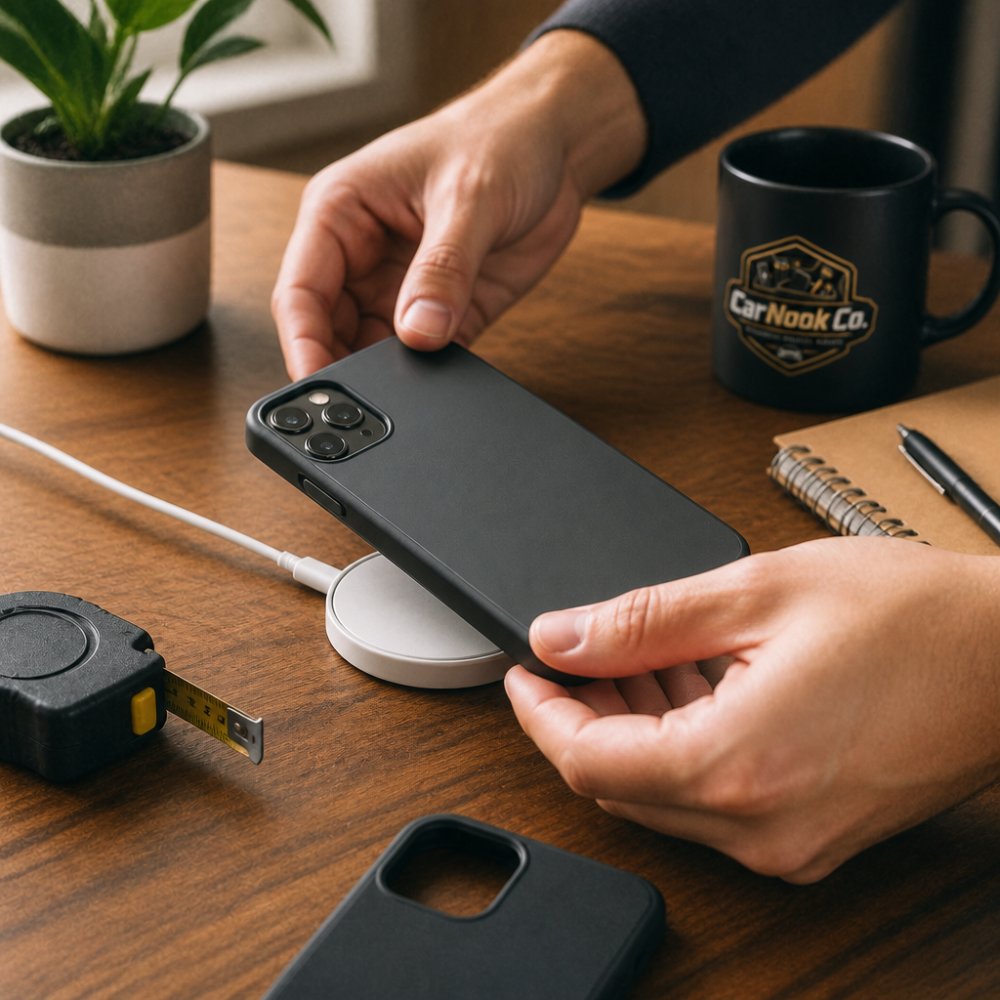
Start with the phone in the case. Bring it near the charger and feel for the pull.
The 3-Step Alignment and Charging Check
- Snap test: bring the phone close to the charger. A strong snap means the magnets are reaching through.
- Shake test: attach the phone and lift it gently. If it holds without sliding, the pull is strong enough.
- Charge test: leave it for a few minutes and check that the battery percentage is rising.
If the phone snaps, holds, and charges, your case works. If it slides or charging stalls, the case may be interfering with magnetic alignment or charging efficiency.
One more check: feel the back of the phone after ten minutes. Warm is normal. Hot means the case is trapping heat.
How to Add a Magnetic Ring to Your Phone Case
A magnetic ring lets a standard case work with MagSafe accessories. The ring sticks to the back of the case and gives the charger something to grab. This is the fix for a case you love but do not want to replace. It is inexpensive and takes a few minutes, but only if you do it right.
What a Ring Can and Cannot Fix
A magnetic ring adds pull force. It does not remove interference. That distinction matters:
- On a thin, non-metallic case: A ring works well. It restores the snap, the mount hold, and the charging alignment.
- On a thick case: A ring helps the magnets grab, but the added distance still slows charging. You get a stronger hold with the same heat problem.
- On a metal-backed case: A ring will not fix the problem. The metal still blocks the field and traps heat. Skip the ring and replace the case.
Charging vs. Accessory Mounting: Two Different Jobs
A ring that is strong enough to charge may not be strong enough to hold a wallet or a car mount. Charging only needs alignment. Mounting needs real pull force.
If you plan to use a car mount, choose a ring rated for accessory holding, not just charging. A weak ring will snap to the charger fine but let the phone slide on a bumpy road.
Step-by-Step: Safe Retrofitting
- Clean the back of the case with an alcohol wipe. Oils and dust weaken the adhesive.
- Place the phone inside the case first. This lets you feel exactly where the phone's own magnet ring sits.
- Center the ring over the coil. Off-center rings are the most common DIY mistake and cause slow charging.
- Peel the backing and press firmly for at least 30 seconds.
- Wait a few hours before charging. The adhesive needs time to cure.
Many kits include a guide tool to help with centering. If yours does not, use the phone's own magnet pull as a guide, bring the ring near the back of the phone and let it snap into place before pressing down.
Adhesive Durability and Removal
A ring on a smooth plastic or silicone case can last months. On a textured or leather case, the adhesive may lift sooner because the surface is uneven.
If you need to remove a ring, warm it slightly with a hair dryer on low, then peel slowly. Ripping it off cold can leave residue or damage a soft case.
A ring is a good stopgap. A case built with a magnet ring from the start is the more reliable long-term fix, because the ring is embedded rather than glued on.
Risks of Thick or Metal Cases: Heat, Power Loss, and Signal Strength
Thick cases can reduce wireless charging efficiency by increasing the distance between the phone and charger, which may lead to slower charging and additional heat. Cases containing metal can also interfere with wireless charging and, depending on their design and placement, may affect cellular, Wi-Fi, or GPS reception.
Heat builds when the charger has to work harder to push power through the case. That extra effort becomes warmth. Over time, the phone may slow charging on purpose to protect the battery, a behavior known as thermal throttling.
Power loss works the same way. The farther the coil sits from the charger, the more energy escapes before it reaches the phone. A case that adds a few millimeters can cut charging speed.
Signal strength is the third issue. A metal case can weaken cellular, Wi-Fi, and GPS reception. That matters most when you use your phone for navigation.
- Heat: charger works harder, phone gets warm
- Power loss: slower charging, more wasted energy
- Signal loss: weaker GPS and cell reception
A thin case avoids all three. That is why slim designs are the safer pick for daily charging.
Accessory Compatibility Beyond Charging: Mounts, Wallets, and Stands
MagSafe is not just for charging. The same magnet ring holds mounts, wallets, and stands. This is where a case's magnet strength really shows.
A car mount is the most demanding test. It holds the phone at arm's length over a bumpy road. A weak magnet lets the phone slip.
Wallets and card holders are lighter, so they need less pull. But they still rely on a firm connection to stay put.
A phone stand or ring stand is the easiest case. It sits on a desk and rarely moves.
This is where the accessory ecosystem matters. A case with a strong ring works with all three. A standard case may only work with a stand, if that.
For drivers, the mount is the deciding factor. A phone that stays put during navigation is safer and easier to use.
When to Upgrade: Choosing a Case Built for Magnetic Accessories
Upgrade when your current case fails the snap, shake, or charge test. If the phone slides on a mount or charges slowly, a magnetic case fixes both.
The CarNook DotWave MagSafe Phone Case has a built-in magnetic ring and a slim profile. It protects against everyday bumps and scratches while keeping the magnet connection strong. Raised edges help protect the camera and screen.
For hands-free viewing, the CarNook MagStand Phone Case adds a built-in ring stand. It supports vertical and horizontal viewing, so it works on a desk or a dashboard.

If you want to carry less, the CarNook MagSafe Wallet Phone Case holds cards and cash in a clamshell design. It keeps the magnetic connection while replacing a separate wallet.
All three are designed for select iPhone models. Check the listing before you buy to confirm your model fits.
Choosing a case built for magnetic accessories saves you from DIY rings and weak mounts. It is the simplest path to a setup that just works.
Frequently Asked Questions
Can I use MagSafe with a normal case?
Yes, but it depends on the case. A standard case without built-in magnets will still allow wireless charging if it is thin enough (under about 2-3mm) and made of non-metal material. However, the magnetic alignment will be weak or absent, so the phone may shift on the charger. For a secure attachment with magnetic accessories, you need either a MagSafe compatible case or a magnetic ring added to your existing case.
How thick can a case be for MagSafe to work?
MagSafe performance depends on the case’s thickness, materials, magnetic design, and alignment. Thinner MagSafe-compatible cases generally provide a stronger magnetic connection, while thicker cases can weaken attachment and reduce charging efficiency. For the most reliable performance, use a case specifically designed to be MagSafe compatible.
What happens if I use a magnetic accessory on a non-magnetic case?
The accessory may slide or detach because there is no magnetic array to hold it in place. For chargers, this means misalignment, which reduces power transfer and can cause the phone to stop charging. For mounts or wallets, the connection will not be secure. Adding a magnetic ring to your case or switching to a MagSafe compatible case solves this.
Can you add MagSafe to an existing case?
Yes. You can buy a magnetic ring kit and attach it to the back of your case. Clean the surface, align the ring with your phone's charging coil (usually centered), and press firmly. This gives you magnetic alignment for accessories and chargers. Just make sure the ring is placed correctly, or charging efficiency will suffer. A MagSafe compatible case from CarNook is a simpler, pre-aligned option.
Your current case may already work with MagSafe. If it does not, the fix is a slimmer case with a built-in magnet ring. CarNook Co. builds cases for exactly this: the DotWave, MagStand, and MagSafe Wallet Phone Case each pair a magnetic ring with everyday protection. Explore the CarNook Co. MagSafe accessories and phone cases to find a setup that holds firm on the road and charges without the guesswork.