


⚡ Free Express Shipping in USA✦
🔥 Newest Arrival Collection Live Now✦
✨ SUBSCRIBE TO GET YOUR 10% Off✦

Last Updated: October 6, 2026
Rental cars come with unfamiliar layouts, missing accessories, and no setup optimized for your devices. A tangled mess of charging cables creates distraction, blocks air vents, damages cables, and makes your rental feel cluttered. When you organize phone charging cables rental cars, you keep your setup clean, your devices powered, and your attention on the road.
The real challenge isn't finding a charger, it's keeping cables out of your way without damaging the rental. You can't install permanent mounts or adhesive clips. You can't drill holes or run cables behind panels. Everything you bring must leave the car exactly as you found it.
This guide walks through the practical steps to organize phone charging cables rental cars safely, cleanly, and without leaving a trace.
Before you plug anything in, know what your rental car actually has. Different vehicles have different charging options, and some rental cars are missing common ports entirely.
Open the center console, check the dashboard, and look under the steering wheel. Most rental cars have:
Not all of these exist in every rental. Some newer cars have multiple USB ports. Older rentals might have only a 12V socket. Check your rental agreement or ask the agent before you leave the lot.
USB-A and USB-C are not interchangeable. A USB-A cable won't fit a USB-C port, and forcing it damages both the cable and the port.
USB-A is the older, larger rectangular connector. Most phones from five years ago used USB-A. Many car chargers still offer USB-A ports.
USB-C is smaller and reversible (works either way). Most modern phones, tablets, and laptops use USB-C now. Newer rental cars increasingly include USB-C ports.
Check your phone's charging port before you leave home. Bring a cable that matches your phone, not the other way around. If you're unsure, pack both USB-A and USB-C cables as backup.
The 12V socket (also called a cigarette lighter socket or power outlet) is your backup charging option when USB ports are missing or already in use.
Look in these places:
The 12V socket is circular and spring-loaded. Push a 12V car charger in until it clicks. It powers the charger, which then provides USB ports for your cable.

Some rental cars have multiple 12V sockets. Check all of them before deciding where to route your cables.
A good car charger does two things: it powers your devices and it reduces cable clutter. The right choice depends on how many devices you're charging and how much space you have.
A single-port car charger works if you're charging one phone. A multi-port charger lets passengers charge at the same time. Look for a charger with built-in cables or retractable cables to minimize loose wires.
The CarNook™ 4-in-1 Retractable Fast Car Charger combines multiple charging connections in one compact device. Retractable cables stay coiled until you need them, keeping your console clean. It fits standard 12V sockets and supports fast charging for compatible devices.
Cable length matters more than most people realize. A 10-foot cable creates a tangled mess. A 3-foot cable might not reach from the console to your phone mount.
Measure the distance from your charging source (USB port or 12V socket) to where your phone will sit. Add 12 inches for slack. That's your ideal cable length.
Short cables (2-4 feet) work best for rental cars. They reach from the console to a phone mount on the dashboard without excess length to tangle or get caught on doors.
If your phone mount is far from the charging port, consider a cable organizer or clip to route the cable neatly along the console edge.
Organization starts with a plan. Decide where your phone will sit, where your charger plugs in, and how the cable travels from one to the other without blocking controls, air vents, or airbag zones. Because rental cars vary so much, the same route rarely works in every vehicle. Below are three common layouts, each with a practical routing path you can set up in a few minutes.
This is the most common setup in sedans and crossovers.
Older rentals or base trims often rely on the 12V socket.
If you're sharing the car with passengers who also need to charge, plan the rear route separately.
Cables attract clutter. A single loose cable becomes two, then three. Before you know it, your rental looks like a tech support desk.
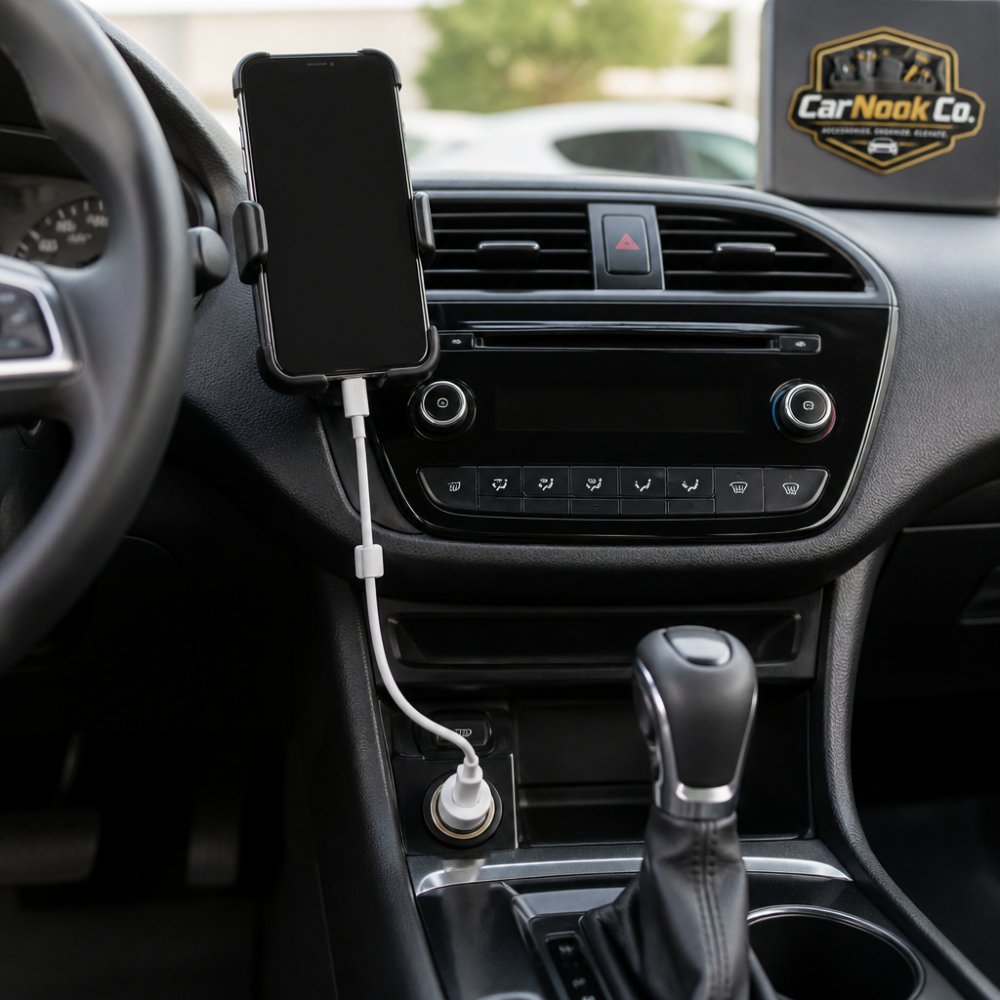
A cable organizer is a small addition that can make a rental setup feel intentional instead of chaotic. The catch with rentals is that anything you attach has to come off cleanly at return. That rules out most permanent solutions and pushes you toward removable, residue-free options.
Adhesive clips and adhesive-backed mounts can leave residue on plastic or vinyl, and removal methods vary by surface and product. Because the vehicle has to go back in its original condition, it's usually simpler to avoid adhesive organizers altogether and stick with wraps, ties, and magnetic clips that don't rely on glue.
If you'd rather start with a charger that reduces loose cables by design, the CarNook™ 4-in-1 Retractable Fast Car Charger pairs well with the wrap-and-anchor approach above. For additional tidy-up options, browse CarNook's car organization accessories.
CarNook™ 4-in-1 Retractable Fast Car Charger →
Tangled cables happen fast. A short drive with a loose cable creates a knot that takes five minutes to untangle.
Coil your cables neatly before you park. Wrap each cable in a figure-eight pattern. This prevents kinks and keeps the cable ready to use next time.
Store coiled cables in the center console or glove box when you're not driving. Don't leave them loose on the seats or floor.
If you have a retractable cable charger, let it retract fully between uses. This keeps the cable protected and ready.
Use cable ties or small rubber bands to bundle multiple cables. A single bundle is less likely to tangle than individual wires moving around.
Even with a car charger, a portable power bank is smart backup. Your rental might not have USB ports. The 12V socket might be broken. The charger might not work with your phone.
A portable power bank charges your phone anywhere, anytime. It's small enough to fit in a cup holder or your pocket. It works with any phone that supports portable charging.
Pack a power bank with capacity matching your phone's battery. A 10,000 mAh bank charges most phones once. A 20,000 mAh bank charges twice. Choose based on how long you're renting the car and how often you use your phone.
Charge your power bank fully before you leave home. Bring a cable to charge it from a USB port in the rental. If the rental has no USB ports, you'll have at least one full charge on the power bank.
Rental cars have infotainment systems that remember your phone. They store your phone number, contact list, call history, text messages, and music preferences. Some systems also remember your location data and navigation history.
Before you return the rental, disconnect your phone completely. This protects your privacy and prevents the next renter from accessing your information.
Most rental cars have Bluetooth built into the infotainment system. When you pair your phone, the car remembers it.
To disconnect Bluetooth:
Also remove the car from your phone's Bluetooth memory. Some phones keep paired devices even after you disconnect.
Some rental cars offer Wi-Fi hotspots. If you connected to the car's Wi-Fi, your phone remembers the network name and password.
To forget Wi-Fi networks:
This prevents your phone from automatically connecting to the same network if you rent from the same company again.
Routing cables across the steering wheel. This blocks your view and the cable slides with every turn. Route cables along the console side instead.
Leaving cables loose on the floor. They get stepped on, tangled, and trapped under pedals. Coil and store cables in the console or glove box.
Using permanent adhesive clips. Rental cars are temporary. Adhesive residue is permanent. Use magnetic or Velcro options instead.
Plugging into every USB port at once. Rental car USB ports have limited power. Plugging in three devices at once slows charging for all of them. Prioritize which device charges first.
Forgetting to check port compatibility. A USB-C cable won't work in a USB-A port. Check your phone's port type before you leave home. Bring the right cable.
Leaving your phone paired to the car. The next renter can see your contact list and call history. Disconnect Bluetooth and forget Wi-Fi before you return the car.
Organizing phone charging cables in rental cars doesn't require special equipment or permanent modifications. A short cable, a cable clip, and a plan for routing keeps your setup clean and your devices charged. CarNook Co. offers practical solutions like the CarNook™ 4-in-1 Retractable Fast Car Charger that fit rental car layouts perfectly. Explore CarNook's collection of car phone mounts, cable organizers, and travel accessories designed to keep your setup tidy and functional on every drive.
Bring a USB charging cable compatible with your phone's port (USB-C or USB-A), a car charger adapter that fits the vehicle's 12V accessory socket, and ideally a portable power bank as backup. Check your rental's available ports when you pick up the car, some older models may only have a 12V socket, while newer rentals often include USB ports in the center console or dashboard. Having both options ensures you can charge regardless of the rental's setup.
Use cable clips, magnetic cable holders, or a retractable cable organizer to keep the cord bundled and off the floor. Route the cable along the edge of the center console or behind the steering column rather than across the seat or gear shift. Coil excess length neatly and secure it with a clip. A car charging cable organizer designed for rental use can help prevent tangling and keeps the setup rental-friendly without adhesive damage.
Disconnect your phone from the car's Bluetooth system by going to your phone's settings and forgetting the vehicle's pairing. Clear any Wi-Fi networks you connected to during the rental. If you used the car's infotainment system to stream music or access maps, disconnect your account or sign out of any apps. This ensures your personal data, contacts, and location history aren't stored on the rental's system after you return it.
Avoid adhesive mounts or suction cups that leave residue on the dashboard. Instead, use cable clips that attach to existing air vents or cup holders, or route cables along the interior trim. Keep cables short enough to reach from the power source to your phone without excess length dragging across seats. This approach keeps things organized while protecting the rental from damage you'd be charged for.

