



Table of Contents
- Why Your Phone Overheats During GPS Navigation
- Does Wireless Charging Cause Phone Overheating?
-
How to Prevent Phone Overheating While Using GPS: 7 Practical Steps
- Step 1: Position Your Phone Away from Direct Sunlight
- Step 2: Use Your Car's Air Conditioning Vents
- Step 3: Lower Screen Brightness and Disable Unused Features
- Step 4: Cache Maps for Offline Use
- Step 5: Remove Your Phone Case in Extreme Heat
- Step 6: Close Background Apps and Stop Unnecessary Charging
- Step 7: Watch for Overheat Warnings and Act Fast
- Choosing the Best Car Phone Mount for Heat Dissipation
- Phone Cooling Tips for Road Trips
- Conclusion: Keep Your Cool and Your Battery
- Frequently Asked Questions
Last Updated: September 6, 2026
Few things derail a road trip faster than the dreaded "iPhone needs to cool down" warning. Battery drain accelerates, the screen dims, and your GPS navigation becomes unreliable just when you need it most. Phone overheating during navigation is a widespread frustration because modern phones generate significant heat while performing several demanding tasks simultaneously.
This guide from CarNook Co. breaks down how to prevent phone overheating while using GPS navigation. We cover the core causes of heat buildup, seven practical fixes you can apply today, and how choosing the right car phone mount makes a measurable difference.

Why Your Phone Overheats During GPS Navigation
Phone overheating is the result of sustained hardware stress combined with a hot environment. A navigation app forces your phone to work harder than almost any other common task, pushing the processor, display, and radios to their limits for hours.
The Triple Threat: Screen, GPS, and Cellular Data
Your phone juggles three power-hungry systems during navigation: the screen stays on at high brightness, the GPS receiver constantly triangulates your position, and the cellular radio maintains a data connection for real-time traffic. Running all three simultaneously generates substantial internal heat that has nowhere to go inside a sealed device.
Vehicle Heat Traps That Make It Worse
The cabin of a parked or slowly moving car can become a heat trap, with interior temperatures rising far above the ambient temperature outside. Direct sunlight through the windshield intensifies this effect, heating the dashboard and any phone mounted there. This combination of internally generated heat and external heat soak pushes the device toward thermal throttling, where the system deliberately slows performance to protect internal components.
Does Wireless Charging Cause Phone Overheating?
Yes, wireless charging can be a significant contributor to phone overheating during navigation, but the issue isn't just that it generates heat, it's that it generates heat inefficiently and in direct competition with the heat your phone is already producing from GPS, screen, and cellular tasks.
The Physics of Inductive Charging Loss
Wireless charging relies on inductive coupling, which is inherently less efficient than a wired connection. While a quality wired charger can achieve efficiency above 90%, most consumer wireless chargers operate in the 70-80% range under ideal conditions. The remaining 20-30% of energy is lost as heat, both in the charging pad and in the phone's receiving coil. When you're navigating, your phone is already drawing significant power, so the charging system works at higher output, amplifying these losses.
The Real-World Scenario: Charging While Navigating
The problem compounds when you consider the environment. A phone mounted on a dashboard in direct sunlight is already absorbing external heat. Add the internal heat from the GPS receiver, the always-on display, and the cellular modem streaming traffic data, and the device is operating near its thermal ceiling. A wireless charger that is itself generating heat can be the final push that triggers thermal throttling or an overheat warning.
Why Wired Charging Is the Safer Bet
For navigation, a wired connection is almost always the better choice. A USB-C or Lightning cable delivers power with minimal loss, meaning less waste heat and a cooler device overall. Also consider the power source: a standard 5W charger will barely keep up with the power draw of navigation, forcing the battery to discharge while charging. A higher-wattage charger (18W or above for most modern phones) can power the phone directly and keep the battery stable without the constant charge-discharge cycle.
The CarNook Approach to Charging and Cooling
At CarNook Co., we design our accessories with thermal management in mind. Our CarNook™ DashGrip Phone Mount positions your phone for optimal airflow, and when paired with a wired charger routed neatly through your dashboard, you can maintain battery level without adding unnecessary heat. For drivers who prefer wireless charging, our MagSafe accessories align your phone perfectly on the charger, but use them sparingly, only when the phone is cool and not in direct sunlight, and remove the phone once it reaches an adequate charge level.
How to Prevent Phone Overheating While Using GPS: 7 Practical Steps
These seven steps address both the internal heat your phone generates and the external heat it absorbs. Apply them in order for the best results.
Step 1: Position Your Phone Away from Direct Sunlight
Direct sunlight is the single biggest external factor in phone overheating. Move the phone out of the sun's path, even if that means placing it lower on the dashboard or in a cup holder. The goal is to keep the device in shadow while still allowing you to glance at the screen safely.
Step 2: Use Your Car's Air Conditioning Vents
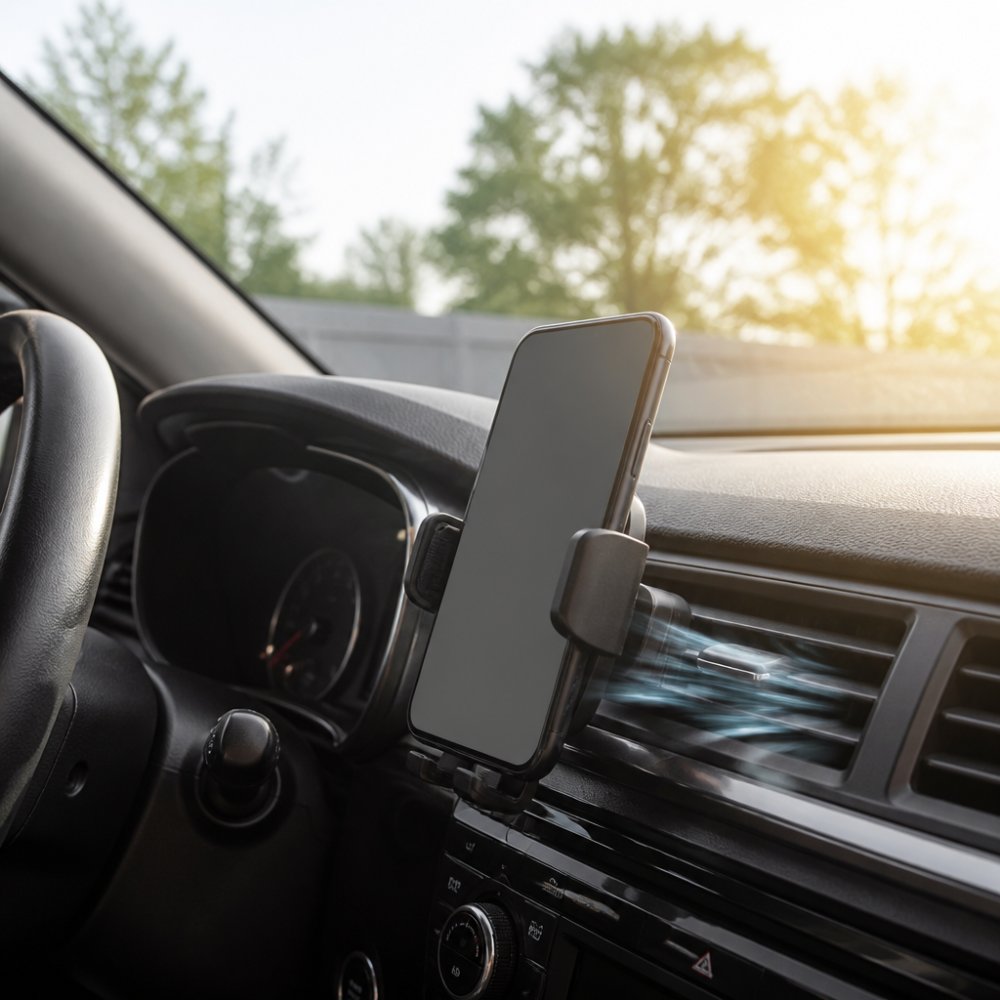
A vent-mounted phone holder is one of the most effective cooling solutions available. The airflow from your air conditioning actively carries heat away from the device, improving heat dissipation. This placement also keeps the phone out of direct sunlight and at eye level for safer navigation viewing.
Step 3: Lower Screen Brightness and Disable Unused Features
The display is a major source of power consumption. Reduce screen brightness to the minimum level you can comfortably read, turn off Bluetooth if you are not connected to a hands-free system, and close apps running background processes that add to the processing load.
Step 4: Cache Maps for Offline Use
Downloading maps for offline use reduces the demand on your cellular data connection. When your phone does not need to stream map tiles constantly, the modem works less and generates less heat. This also helps in areas with poor signal, where the phone would otherwise boost power to maintain a connection.
Step 5: Remove Your Phone Case in Extreme Heat
Many protective cases act as insulation, trapping heat against the phone's body. In extreme heat, removing the case allows the device to shed heat more effectively. This is a temporary measure for the hottest conditions, not a permanent change to your setup. If you prefer keeping your phone protected, look for a slim phone case that minimizes thermal insulation while still offering drop protection.
Step 6: Close Background Apps and Stop Unnecessary Charging
Apps running in the background add to the processing load and generate heat even when you are not looking at them. Swipe away apps you are not using before you start navigating. If the battery is already above 80 percent, skip charging altogether to avoid the extra heat from the charging cycle.
Step 7: Watch for Overheat Warnings and Act Fast
When your phone displays an overheat warning, it is already protecting itself by reducing system performance. Act immediately: move the phone to a cooler location, turn off the screen, and stop charging. Continuing to run navigation during an overheat warning risks long-term battery health degradation.
Choosing the Best Car Phone Mount for Heat Dissipation
The mount you choose is the primary tool for managing your phone's thermal environment. The best mount for heat dissipation actively removes heat from the phone or positions it where heat can escape naturally. Here's how to evaluate your options with a focus on thermal performance.
The Thermal Hierarchy of Mount Locations
Windshield Mounts (Poor): These place your phone directly in the sun's path, often behind glass that amplifies solar radiation. The enclosed space between the phone and the windshield can create a microclimate significantly hotter than the surrounding cabin air. Avoid these for any navigation session longer than a few minutes.
Dashboard Mounts (Moderate): These are better than windshield mounts because they position the phone lower, often out of the most intense direct sunlight. However, a dashboard surface can itself become a heat sink. A dark dashboard can become extremely hot in direct sunlight.
Vent Mounts (Excellent): This is the gold standard for thermal management. A vent mount places the phone directly in the path of your car's HVAC airflow. When your air conditioning is running, cool air actively carries heat away from the phone's chassis, dramatically improving heat dissipation. Even when the AC is off, the vent location is typically lower and more shaded than a windshield or dashboard position.
Material Science: What Your Mount Is Made Of Matters
Most mounts are made of plastic, ABS, or silicone, which are poor thermal conductors. This is beneficial in one way, these materials do not conduct external heat into the phone. However, they also do not help pull heat away from the phone. Metal components such as aluminum can dissipate heat more effectively than many plastics, while an open-back design helps promote airflow around the phone.
The CarNook Difference: Design for Airflow
The CarNook™ DashGrip Phone Mount is engineered with an open-back design that allows air to circulate behind the phone, a critical feature many mounts overlook. A solid-back mount traps heat against the phone's chassis, while an open-back design allows heat to escape. Combined with the CarNook™ SecureRide Phone Mount for alternative mounting positions, you have a system that prioritizes airflow and heat management.

A Decision Framework for Your Driving Environment
Mount Type |
Heat Management |
Best Use Case |
Key Trade-off |
|---|---|---|---|
Vent mount |
Excellent (active airflow) |
Daily commutes, road trips, warm climates |
May block a vent; check compatibility with your car's vent design |
Dashboard mount (open-back) |
Good (position-dependent) |
Clear sightlines, easy reach |
Requires careful positioning away from sun and heat soak |
Dashboard mount (solid-back) |
Moderate (traps heat) |
Short trips in mild weather |
Can insulate the phone and worsen overheating |
Windshield mount |
Poor (direct sun exposure) |
Quick, temporary use only |
High risk of overheating and thermal throttling |
Phone Cooling Tips for Road Trips
Long road trips present unique challenges for phone temperature management. The phone runs for hours, the cabin heats up, and you may be charging while navigating. Planning ahead prevents most overheating issues before they start.
Active vs. Passive Cooling Accessories
Cooling accessories fall into two categories. Active cooling solutions, like vent mounts and clip-on phone coolers, use airflow or thermoelectric elements to move heat away from the device. Passive cooling relies on materials and design, such as heat sinks or shaded mounting positions, to prevent heat buildup in the first place.
For most drivers, an active solution is the better investment. A vent mount requires no power and works whenever your car's air conditioning runs. Clip-on coolers are effective but add bulk and require a power source. Passive solutions are best used as a supplement, not a replacement.
Long-Term Battery Health Considerations
Repeated exposure to high temperatures accelerates lithium-ion battery degradation. Every phone battery has a finite number of charging cycles, and heat is the primary enemy of long-term capacity. A phone that frequently overheats will lose its ability to hold a charge much faster than one kept at moderate temperatures.
The habits that prevent overheating during a single trip also protect your battery over the long term. Avoiding direct sunlight, using airflow to cool the device, and skipping unnecessary charging all reduce thermal stress, keeping your phone reliable for years.
Conclusion: Keep Your Cool and Your Battery
Phone overheating during GPS navigation is a solvable problem. The fixes are straightforward: keep the device out of direct sunlight, use your car's airflow to your advantage, and reduce the workload on the processor and modem. These habits protect both your immediate navigation experience and the long-term health of your battery.
CarNook Co. designs accessories that make life on the road simpler and more organized. The CarNook™ DashGrip Phone Mount offers a secure, compact dashboard solution for keeping your phone visible and within reach, while the CarNook™ SecureRide Phone Mount provides a sturdy aluminum option for bikes and other rides. Explore the CarNook collection to find the right mount for your driving style and keep your phone cool, secure, and ready for the road ahead.
Frequently Asked Questions
Why is my phone overheating while using maps?
GPS navigation pushes your phone hard. The screen stays on at full brightness, the GPS receiver works continuously, and the cellular modem streams map data and real-time traffic. All three generate heat at once. Inside a car, direct sunlight and heat soak from the dashboard raise ambient temperature further, which prevents heat dissipation. The result is thermal throttling, where your phone slows down and may show an overheat warning to protect the lithium-ion battery.
Does charging your phone while using GPS cause overheating?
Yes, fast charging while navigating can push your phone past its thermal limits. Charging generates its own heat, and when combined with GPS, screen brightness, and cellular data, the total heat load can exceed what your phone can dissipate. This is especially true with wireless charging, which is less efficient and produces more waste heat than a cable. If you must charge while using navigation, use a low-wattage cable and position the phone in front of an air conditioning vent.
Can a car phone mount help prevent device overheating?
Yes, but only if it improves airflow and shade. The best car phone mount for heat dissipation keeps your phone out of direct sunlight and allows air to move around the device. A vent-mounted holder is ideal because it positions your phone directly in the path of cool air from the air conditioning. Dashboard mounts that sit in direct sunlight can make overheating worse. Look for mounts that don't block the phone's back surface, since that's where most heat escapes.
What are the best ways to cool down a phone quickly in a car?
The fastest way to cool an overheated phone is to move it out of direct sunlight and into the path of your car's air conditioning. Hold it near a vent for a few minutes, or use a vent-mounted holder. Turn off the screen and close the navigation app to reduce processing load. Remove any protective case to expose more surface area for heat dissipation. Do not put the phone in the refrigerator or use ice packs, as rapid temperature changes can damage the battery.