


⚡ Free Express Shipping in USA✦
🔥 Newest Arrival Collection Live Now✦
✨ SUBSCRIBE TO GET YOUR 10% Off✦

Last Updated: October 29, 2026
Quick Summary
The best ways to organize travel essentials on your phone start with a phone-first system that groups documents, plans, money, and gear into one place. Build a reusable packing list, save offline documents in one named folder, and test airplane mode before you leave.
Your phone is already the most useful travel organizer you carry. It holds your boarding passes, booking confirmations, packing notes, and maps in one place, and it fits in your pocket. The phone can help keep travel information together if you set it up well.
The catch is that a messy phone is no better than a messy suitcase. Screenshots pile up, emails get buried, and the one reservation you need sits in a folder you forgot. This guide covers the best ways to organize travel essentials on your phone, from a home screen built around your trip to offline documents that work without a signal.
Below, you'll find practical methods for organizing travel essentials on your phone.
A phone-first system means your trip lives in one place on your device, not scattered across apps. It groups your travel essentials into four buckets: documents, plans, money, and gear. Each bucket gets its own folder, widget, or app.
Here's the simple framework:
Why bother? Because when everything has a home, you stop scrolling through camera roll chaos at the check-in desk.
Your home screen is the front door of your travel organization. Rearrange it before you leave, then put it back when you return.
Try this setup:
Keep the trip page clean. Delete or hide apps you won't use on the road. A focused screen makes travel essentials easy to find in one tap, even when you're rushing.
One tip: name your main travel folder with the destination and dates. "Trip - Denver - June" beats "Misc" every time.
A digital packing list is a saved checklist on your phone that you can copy and adjust for each trip.
The trick is to build it once and reuse it. Start with categories:
Then add a "trip type" layer. A beach trip and a work trip need different gear, so keep a base list plus a short add-on list for each kind of travel.
Use the notes app or a checklist app that syncs across devices. Check items off as you pack, and uncheck them when you unpack at home. That last step matters. Unpacking resets the list so it's ready for next time, and it stops you from packing a charger you already left in a hotel room.
You can copy, adjust, pack, and reset your list for each trip.
A digital travel itinerary is a day-by-day plan stored on your phone, with times, addresses, and confirmation numbers in one place. The key word is offline. Airport Wi-Fi drops, foreign data plans run out, and basements block signals.
Build your itinerary so it works without a connection:
Group each day by neighborhood, not by hour. Travel plans slip, and a flexible day plan survives a delayed train better than a rigid schedule.
Share the itinerary with everyone in your group. A shared note or calendar means no one asks "what time is dinner?" for the fifth time. It also helps if a phone dies, since another person has the same plan.
Offline travel documents are copies of your IDs, tickets, and bookings saved on your phone so you can open them without internet.
Before you leave, do this:
Keep the folder at the top of your files app. When a gate agent asks for your booking, you open one folder instead of hunting through email.
Watch out: some venues and borders want to see a live app or a printed copy, not a screenshot. Check the rules for your specific bookings before you rely on a saved image. For broader guidance on keeping your device and data safe, see how to choose secure travel phone accessories.
A travel document organizer app is a single app that stores your bookings, tickets, and IDs in one place, often with trip folders and offline access. The right choice depends on how you travel, and the wrong choice is the one you never open at the gate.
CarNook™ ZipCarry Crossbody Phone Bag with Zipper Storage →
Rather than recommend a single app, match the app to your trip type and test the offline behavior before you leave. Here's how the common categories break down:
This is the step most travelers skip. A document that only loads with a signal is not an offline document.
Run this check a day or two before departure:
If a file won't open offline, download it locally or save a screenshot as a backup. Screenshots are not always accepted where a live app or printed copy is required, so check the rules for your specific bookings, some venues and borders want to see the original.
No single app should be your only copy. A common pattern is to keep the same documents in two places: your primary folder and a second copy in your email or a cloud drive you can reach from another device. If your phone is lost, stolen, or out of battery, you can still retrieve your bookings from a companion's phone or a hotel computer.
Don't collect apps. Two or three you actually use beat ten you forget. Pick your primary folder, set up the backup, test offline mode, and stick with the same setup for every trip so it becomes a habit rather than a scramble.
A small system can help keep chargers and cables sorted.
Try this approach:
For a deeper look at sorting gear, keep a gear note on your phone with a photo of each pouch. When you repack, you match the photo. It sounds fussy, but it stops the "where did I put the adapter" search.
A lost or stolen phone can mean lost bookings, cards, and contacts, and a compromised account can mean more than a ruined itinerary.
Start with basic device-protection steps:
Before you travel:
Airport, café, and hotel Wi-Fi can be convenient. Consider these habits:
Even a well-protected phone can run out of battery or go missing. Have a contingency:
For practical advice on keeping your device safe in crowded places, read how to prevent phone theft while traveling. It pairs well with the setup steps in this guide, and for broader device-safety guidance, see how to choose secure travel phone accessories.
Some accessories can help keep your phone and cards together while you travel.
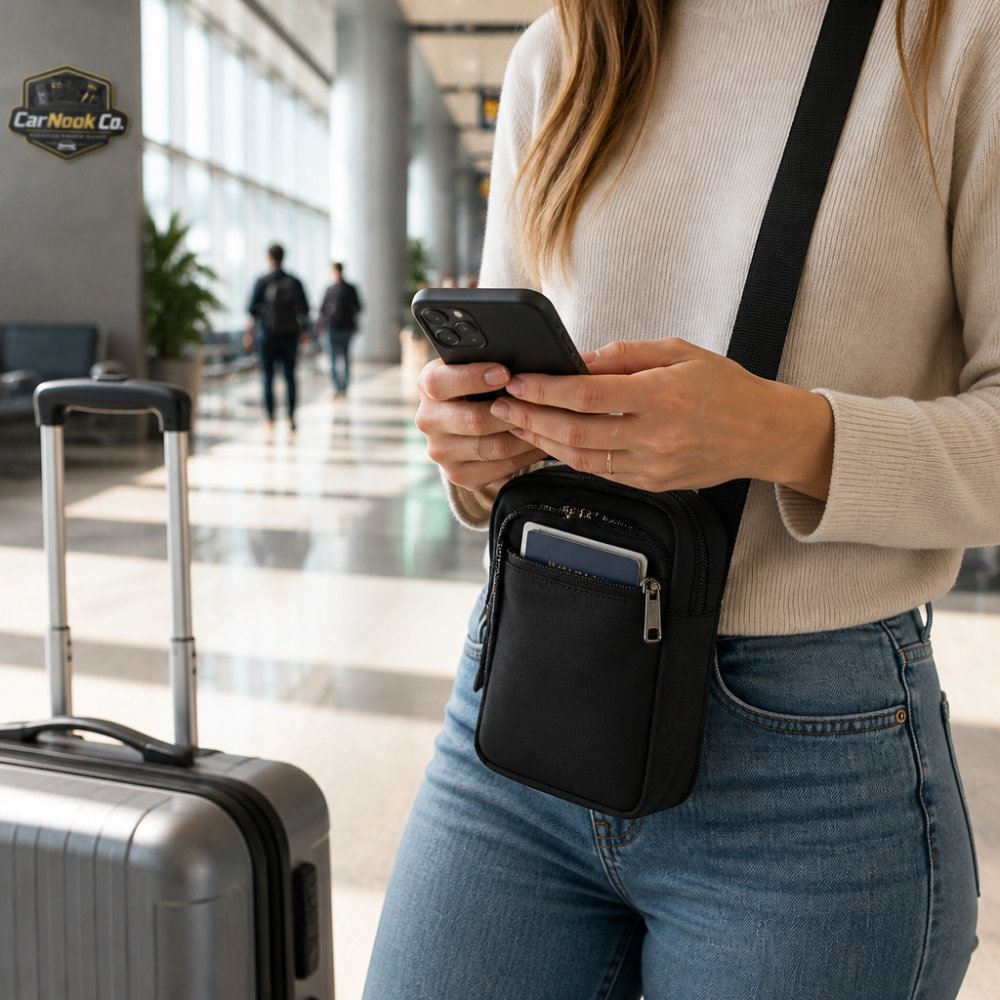
The CarNook ZipCarry crossbody phone bag with zipper storage combines phone protection, zipper storage for cards and small essentials, and hands-free crossbody carrying. It is designed for travel, errands, shopping, and everyday use. For more hands-free options, see the guide to best crossbody phone cases for travel.

A lanyard or wrist strap is another hands-free carrying option.
A reusable trip checklist is a saved list you run through before every departure. It turns your phone-first system into a habit.
Here's a checklist you can copy:
Run it before you leave, then use the unpack step when you get home.
| Step | Time Needed | When to Do It |
|---|---|---|
| Rearrange home screen | 10 minutes | Day before |
| Adjust packing list | 10 minutes | Two days before |
| Build itinerary | 20 minutes | A week before |
| Save offline documents | 15 minutes | Two days before |
| Pack chargers and cables | 10 minutes | Day before |
| Share itinerary | 5 minutes | Day before |
Create one folder in your phone's file storage for the trip and name it by destination and date. Save confirmations, reservations, and ID copies there, then star or pin the folder for quick access. Download a copy of each file to the device rather than relying only on cloud sync, so you can open it without a signal. A travel document organizer app can group everything by day, but a simple named folder plus offline copies covers the basics.
Save your booking confirmations, a digital packing list, and a digital travel itinerary that lists each day's plans. Add offline maps for the areas you will visit, plus copies of IDs and any reservation numbers. Screenshot boarding passes and hotel addresses as a backup. Store these in one folder so you are not searching across apps at the gate.
Download files to your device instead of leaving them in the cloud, and save maps for offline use in your maps app before you leave. Screenshot key details like addresses and confirmation numbers. Keep a charged power bank in your bag so a low battery does not cut off access. Test airplane mode at home to confirm your offline travel documents actually open.
The CarNook ZipCarry Crossbody Phone Bag combines phone protection, zipper storage for cards and small essentials, and hands-free crossbody carrying. The CarNook MagPocket Magnetic Wallet provides card storage and doubles as a phone stand for hands-free viewing. Check each product listing for compatibility details.
Travel organization breaks down when your phone is a mess of screenshots and buried emails. A small setup fixes that, and it carries over to every trip you take. CarNook Co. builds practical accessories for exactly this kind of travel: crossbody cases with zipper storage, retractable car chargers, and hands-free straps that keep your phone and essentials together. Explore the CarNook travel accessories collection and set up a phone system that makes your next departure simpler.


