


⚡ Free Express Shipping in USA✦
🔥 Newest Arrival Collection Live Now✦
✨ SUBSCRIBE TO GET YOUR 10% Off✦

Last Updated: October 20, 2026
Wireless charging uses a technology called inductive charging to transfer power without a cable. A charging pad or mount contains a coil that creates a magnetic field. Your phone has a matching coil inside. When the two coils align properly, energy flows from the pad to your phone's battery.

This process relies on electromagnetic induction. The charger sends alternating electrical current through its coil, which generates a magnetic field. Your phone's coil picks up this field and converts it back into electrical current to charge the battery.
For wireless charging to work well, the coils need to be close and properly aligned. Most phones charge best when positioned flat or at a slight angle. Even small gaps or misalignment can slow charging speed or stop the charge entirely.
The key components are:
Understanding how wireless charging works helps explain why magnetic mounts affect charging performance.
Magnets and wireless charging can coexist, but the relationship is more nuanced than a simple yes or no. The magnetic field from a mount is different from the electromagnetic field used in wireless charging, so they operate on different principles.
A passive magnetic mount, the kind that simply holds your phone in place, creates a static magnetic field. Wireless charging uses an alternating electromagnetic field at specific frequencies. These two fields don't directly interfere with each other the way you might expect.
However, metal components matter. Many magnetic mounts use metal plates or metal-reinforced cases. Metal can disrupt wireless charging by absorbing or reflecting the electromagnetic signal. The closer the metal is to the charging coil, the more likely it will cause problems.
What actually happens depends on:
The bottom line: passive magnetic mounts alone typically do not stop wireless charging. But metal components in the mounting system can interfere significantly.
These are two different products serving different purposes, and it's important to understand the distinction.
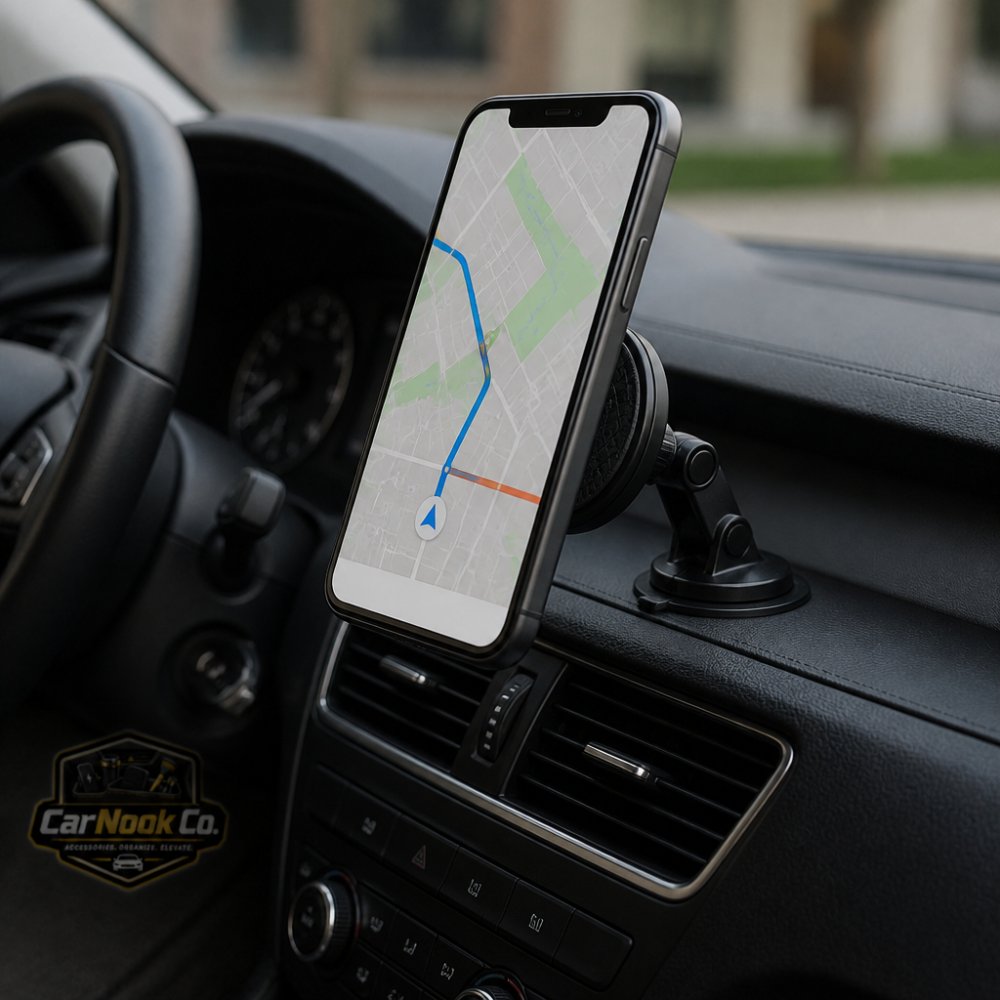
A magnetic phone mount holds your phone in place using magnetic force. It mounts to your car dashboard, vent, or windshield. The mount itself does not charge your phone. It simply keeps your device accessible and secure while you drive. Many magnetic mounts use metal plates that attach to your phone or case. CarNook's car phone mounts offer a range of magnetic and non-magnetic options designed for secure, reliable holding in various vehicle setups.
A magnetic wireless charger combines mounting and charging. It holds your phone in place while also delivering wireless power to the battery. These products typically use a charging pad or dock that doubles as a mount. Some car-based wireless chargers include magnetic components to help position the phone correctly over the charging coil.
Key differences:
If you want both mounting and charging in your car, a wireless charging mount is the right choice. If you only need secure mounting, a standard magnetic mount works fine. The CarNook™ Wireless Charging Car Mount combines both functions, offering 15W wireless charging with secure mounting in one compact device.
Compatibility is where most real-world problems show up, and it is usually not the magnet itself that breaks wireless charging. It is what the magnet is attached to, where that component sits relative to your phone's receiver coil, and whether your case or mount forces the phone off-center. A passive magnet can sit near a Qi coil without stopping power transfer, but a steel plate, a metal kickstand, or a metal-reinforced case in the same spot can absorb or redirect the field enough to slow or stop charging.
A useful way to think about it: wireless charging compatibility depends on three things lining up at once, the phone's Qi receiver, the charger's transmitter coil, and the gap between them. Magnetic accessories affect compatibility when they change any of those three.
Compatibility typically stays intact when:
Compatibility can break down when:
Different phones place the Qi receiver coil in different spots on the back. On many models it sits roughly centered; on others it is offset toward the middle or lower half. If you do not know where your coil is, a simple test helps: place your phone on a wireless charger and slide it slowly in small increments until charging starts, then note where the phone sits relative to the charger's center. That position tells you where the coil lives. From there, position your magnetic mount so its plate or magnet array does not sit over that same area.
A model-aware checklist is more useful than a generic one:
Phones with built-in magnet arrays (MagSafe-compatible iPhones and some Android models) are designed so the magnets and the charging coil coexist. Accessories made for that system align the phone automatically, which reduces the misalignment risk that generic magnetic mounts can introduce. That does not mean every MagSafe-compatible accessory is problem-free, quality and fit vary, but the alignment is engineered rather than left to guesswork.
For phones without a built-in magnet array, a generic magnetic mount plus a separate wireless charger can still work, but you are responsible for keeping the plate and magnet away from the coil and centering the phone on the charger. If you want to skip that guesswork, a dedicated CarNook wireless charging car mount is designed to hold and charge in one step, so alignment is handled by the mount rather than by trial and error.
Heat during wireless charging in your car can happen for several reasons, and some of them relate to magnetic mounts.
Wireless charging generates heat naturally. Energy transfer is not 100% efficient, so some energy becomes heat instead of charging power. This is normal. However, excessive heat suggests something is wrong.
Common causes of heat buildup:
When your phone is misaligned on a wireless charger, the charger has to work harder to transfer power. This extra effort generates more heat. If a magnetic mount causes misalignment, removing it may reduce heat.
Metal plates or metal-reinforced cases can also cause heat issues. Metal absorbs electromagnetic energy and converts it to heat. If a metal plate sits between your phone and the charger, both the plate and your phone may get warm.
To reduce heat:
Heat is not always dangerous, but sustained high temperatures can affect battery health over time. If your phone regularly gets hot while charging in your car, investigate the cause and adjust your setup.
Many magnetic mounts use metal plates as the attachment point. You stick a thin metal plate to your phone or case, and the magnet on the mount grips that plate. This design is popular because it's simple and works with most phones.
However, metal plates create challenges for wireless charging. Metal conducts electricity and responds to electromagnetic fields. When a metal plate sits between your phone's charging coil and the wireless charger, it can block or distort the charging signal.
CarNook™ Magnetic Wireless Car Mount →
How metal plates interfere:
Not all metal plates cause the same level of interference. Thin, small plates have less impact than large, thick ones. Placement matters too. A metal plate near the edge of your phone causes less trouble than one directly over the coil.
If you use a metal plate with wireless charging:
Some people use metal plates only when driving and remove them when charging. This approach gives you both secure mounting and functional wireless charging, just not at the same time.
If metal plates are a problem for your setup, look for magnetic mounts that use alternative attachment methods or wireless chargers designed to work around metal components.
MagSafe is Apple's magnetic accessory standard, built into newer iPhones and some Android phones. MagSafe-compatible products are designed to work with phones that have this feature.
MagSafe uses a ring of magnets embedded in the back of the phone. Accessories snap onto this ring and align automatically. MagSafe is stronger and more reliable than generic magnetic mounts because the magnets are precisely positioned.
MagSafe advantages for wireless charging:
MagSafe limitations:
If your phone supports MagSafe, using MagSafe accessories simplifies the compatibility question. The system was engineered to work together. You get secure mounting and reliable wireless charging without worrying about metal plate interference.
For phones without MagSafe, standard magnetic mounts and separate wireless chargers remain viable options if you position them carefully.
Your phone case plays a bigger role in wireless charging compatibility than many people realize.
Wireless charging works through most materials, plastic, rubber, leather, and thin fabric all allow the charging signal to pass through. However, cases with metal reinforcement, metal frames, or metal kickstands can block charging.
Case materials that work fine with wireless charging:
Case materials that may cause problems:
If your case has a metal plate for a magnetic mount, that plate can interfere with wireless charging. The same issue applies whether you use a generic magnetic mount or a MagSafe-compatible one.
To check compatibility:
Some people use cases without metal components for wireless charging and swap to a magnetic case when they need mounting. Others use a separate magnetic plate that they remove before charging. CarNook offers phone cases designed with wireless charging in mind, so you can find options that work with your charging setup.
Different phones have different coil locations. A case that blocks charging on one phone model might work fine on another. Check your specific phone's documentation to understand where the charging coil is located.
Most magnetic-mount-and-wireless-charging problems come down to one of four variables: alignment, metal interference, distance (case thickness or debris), or power supply. Instead of guessing, work through them in a fixed order so you change one thing at a time and can tell what actually fixed it.
Step 1, Confirm the charger works on its own. Remove the mount, plate, and case. Place the bare phone on the charger. If it charges normally, the charger and phone are fine and the problem is in the accessories. If it does not charge, test the charger with a different Qi-compatible phone and check the power cable and adapter.
Step 2, Add the case back. Charge with the case on but no mount or plate. If charging stops or slows noticeably, the case is the variable, look for metal frames, kickstands, card holders, or unusual thickness.
Step 3, Add the mount or plate back. Reinstall the magnetic component and test again. If charging fails at this step, the plate or magnet placement is the issue. Move the plate away from the coil area and retest.
Step 4, Check alignment. With everything installed, slide the phone in small increments on the charger until charging begins, then note the position. If the mount holds the phone away from that position, the mount is forcing misalignment.
Step 5, Check distance and debris. Wipe the charger surface and phone back. Remove any wallet, grip, or extra layer. Even a small added gap can weaken coupling on some chargers.
Step 6, Check power supply. Swap the cable and adapter for known-good ones. An underpowered adapter can make a charger behave as if it is failing.
| Symptom | Likely cause | What to try |
|---|---|---|
| No charging at all | Metal plate over coil, severe misalignment, or dead power supply | Remove plate; recenter phone; swap cable/adapter |
| Charging starts then stops | Misalignment or heat-related throttling | Reposition phone; improve airflow; remove thick case |
| Slow charging | Interference, distance, or underpowered adapter | Remove metal; reduce case thickness; test a higher-output adapter |
| Phone gets hot | Charger straining from misalignment or metal absorption | Recenter; remove metal components; keep out of direct sun |
| Charger does not detect phone | Coil not overlapping, or phone not Qi-compatible | Slide phone to find the sweet spot; confirm Qi support |
| Weak magnetic hold | Loose or missing plate, or case too thick | Reattach plate per manufacturer instructions; clean surfaces; try a thinner case |
If you have worked through the sequence and charging still fails only when the mount is installed, the mount and charger are not compatible in your configuration. At that point, the practical options are to use the mount without wireless charging, remove the plate before charging, or switch to a mount designed to hold and charge together. A dedicated wireless charging mount removes the plate-versus-coil conflict entirely, which is why it is often the simpler long-term fix. You can browse CarNook's car mount lineup to compare options that fit your phone and driving setup.
Passive magnetic mounts, those that simply hold your phone in place, do not interfere with wireless charging. Wireless charging uses inductive technology that transmits power through magnetic fields, and the small magnets in a mount won't disrupt this process. However, if the metal plate or magnet is positioned directly over your phone's charging coil, it can block the power transfer. The key is proper placement: keep magnetic components away from the coil location on your device.
Yes, you can use a magnetic phone mount with wireless charging if they're designed to work together. Many car mounts are compatible with wireless charging as long as the magnet doesn't sit directly over the charging coil. If you're using a separate wireless charger, position the magnetic mount so the coil remains unobstructed. Some car mounts, like the CarNook™ Magnetic Wireless Car Mount, combine both functions, eliminating compatibility concerns entirely.
Heat during wireless charging can result from several factors: inefficient power transfer (often due to misalignment or obstruction), a metal plate blocking the coil, the phone working harder to compensate for weak signal, or simply the cumulative effect of charging in a warm car environment. Check that your charging coil is properly aligned with the charger, remove any metal plates if present, and ensure nothing is blocking the connection. If heat persists, verify your charger is functioning correctly and consider using a mount without metal components directly over the coil.
If your metal plate is positioned directly over your phone's charging coil, it will block wireless power transfer and you'll need to remove it or reposition it. Metal plates are typically attached to the back of your phone or case to work with magnetic mounts. If you're combining a magnetic mount with wireless charging, either use a mount and charger designed to work together, position the metal plate away from the coil location, or use a mounting solution that doesn't require metal plates, like a suction-cup or vent-mounted magnetic car mount.

