


⚡ Free Express Shipping in USA✦
🔥 Newest Arrival Collection Live Now✦
✨ SUBSCRIBE TO GET YOUR 10% Off✦

Quick Summary
Organize tech before you leave the house by listing what you carry, choosing a bag that fits your route, and grouping chargers in one pouch. Keep your phone in a zippered pocket, bring a power bank for long days, and keep the load light so the daily trip stays comfortable.
Last Updated: November 5, 2026
Organize tech before you leave the house, and the daily trip gets easier. A tangle of cables, a loose phone, and a bag that digs into your shoulder can turn a 27-minute ride into a frustrating one. The Census Bureau's 2024 estimates put the mean one-way commute at 27.2 minutes, and that figure covers all commuting modes, not train riders alone. U.S. Census Bureau American Community Survey 1-Year Estimates on commuting
A planned packing system helps. Research from MIT found that people tend to organize their daily travel efficiently, which suggests routines are worth building on. MIT researchers' study on how people organize daily travel
This guide walks through a simple routine. You will list what you carry, pick a bag, group your cables, secure your phone, plan your battery, protect your devices, and keep the load light.
Start by writing down every device and accessory you bring on a typical day. Be honest about it. Most people carry more than they use.
Common items include:
Next, mark each item as daily, weekly, or rare. Items you use every day stay in your bag. Items you use rarely can stay home.
Watch out: Leaving the power bank out of the list is a common mistake. Riders often forget it until the battery runs low halfway through the trip.
The right bag depends on how long you ride, how often you stand, and how much you carry. On a train, bag choice is less about style and more about three questions: Can you keep it closed and against your body in a crowd? Can you reach your phone and fare card without setting it down? Can you carry it comfortably if you end up standing for the whole trip?
A crossbody bag keeps its weight across one shoulder and stays close to your body, which suits short rides and light loads. A backpack spreads weight across both shoulders, which suits heavier loads such as a laptop, but it also puts your gear behind you where you cannot see it in a crowded car. A sling sits between the two: it carries like a small backpack but swings to the front when you need access.
Match the bag to your actual route:
Consider these points when you choose:
For a simple set-up, a crossbody bag works well for a phone, cards, and earbuds. Our guide to crossbody bags for travel compares security and style options for everyday trips. If your phone is your main concern on a busy route, a secure crossbody phone case can keep the phone and cards together in one place.
Watch out: A bag that is comfortable empty can become a shoulder strain once a laptop, power bank, and water bottle are inside, so test the loaded weight before you commit to a strap style.
Cables are the most common source of tangles. Put every charger, cable, and adapter into one small pouch. Keep the pouch in a set spot in your bag so you always know where it is.
A dedicated pouch also makes it easy to see what is missing before you leave. Check the pouch each morning, and make sure your cable matches your phone.
This also helps with cable management for commuters problems. Wrap cables loosely with a tie or velcro strap rather than tight loops, which can damage the wires over time.

On a crowded platform or a packed car, your phone needs a safe spot. Store it in a zipper pocket or a bag with a secure closure, and avoid leaving it loose in an open pocket.
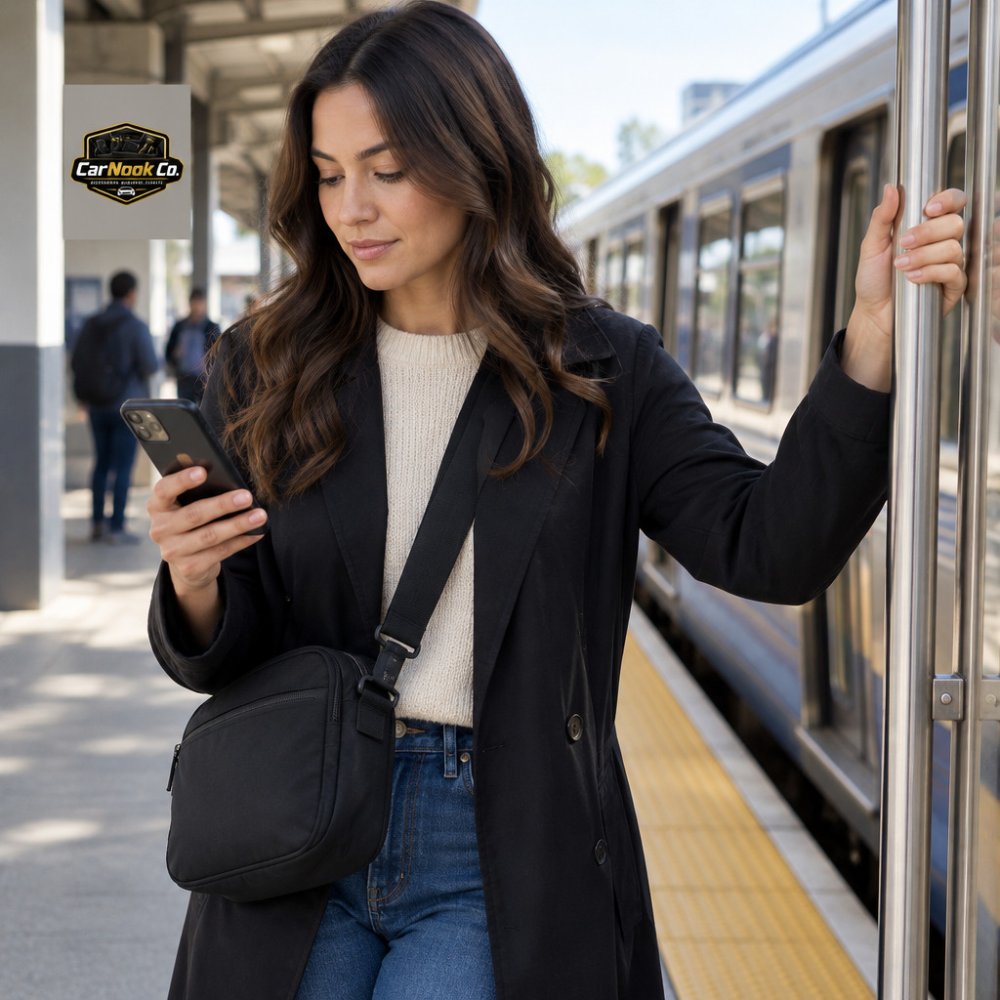
Some riders keep a card, ID, and phone together. A wallet-style case can hold these items in one place. The CarNook ZipCarry Crossbody Phone Bag with Zipper Storage has a built-in zipper pocket for cards and small essentials, plus a crossbody strap for hands-free carrying. It is priced at $34.99 and is designed for select Samsung Galaxy models.
If you want the phone in view while you ride, a hands-free neck phone holder can help you watch videos or follow directions without holding it.
CarNook™ ZipCarry Crossbody Phone Bag with Zipper Storage →

Watch out: Keep the phone out of reach of the train doors and standing passengers. Hold it in your hand only when you need it.
Check your battery before you leave. A commute with navigation, music, and messages can drain a phone faster than expected, so bring a power bank for long days.
Charge your power bank the night before. Carry the matching cable in your charging pouch so you can top up during the ride.
For a broader view of accessories that suit a daily commute, explore our MagSafe accessories.
Train cars get crowded, and bags get bumped. Two things are at risk on a busy commute: your devices getting physically damaged, and your devices getting taken. On public transit, plan for both.
Damage protection. Keep laptops and tablets in a padded sleeve inside the bag, away from the bottom where items get crushed. Place heavier items closer to your back so the bag sits balanced. Keep fragile items such as earbud cases in a front pocket where they will not get squeezed. If you carry a laptop without a sleeve, a stiff divider or a dedicated laptop compartment does more for it than loose padding around it.
Theft prevention. Crowded platforms and packed cars create distraction and close contact, which is exactly the setting where a bag left open or worn behind you is easiest to reach. A few habits reduce the risk:
Device tracking and recovery. Turn on your phone's built-in find-my-device feature before you leave, and confirm it is signed in and working. If a device does go missing, a tracking feature may help you report it and lock the device remotely, depending on your device and settings. Check your device's tracking options and leave them enabled.
Discreet storage. A wallet-style case can hold your phone, card, and ID in one place, which means fewer separate items to watch. The CarNook ZipCarry Crossbody Phone Bag with Zipper Storage has a built-in zipper pocket for cards and small essentials, plus a crossbody strap for hands-free carrying. It is priced at $34.99 and is designed for select Samsung Galaxy models.
If you want the phone in view while you ride, a hands-free neck phone holder can help you watch videos or follow directions without holding it.
Watch out: Keeping a phone visible in an outer mesh pocket or an open hand while you doze or read can make it easier to lose track of, so move it to a closed pocket before the train fills up.
Here is a quick reference for the main risks and habits covered in this step.
| Risk | Habit | Why it helps |
|---|---|---|
| Device damage | Padded sleeve inside the bag | Keeps laptops away from crushing |
| Device damage | Heavier items closer to your back | Keeps the bag balanced |
| Theft | Zippers closed and pulled together | Stops the bag opening quietly |
| Theft | Crossbody or sling worn toward the front | Keeps the bag in view in crowds |
| Theft | Phone in a zippered pocket | Avoids an open back pocket |
| Lost device | Find-my-device enabled before you leave | May help locate or lock it |
Every extra item adds weight, and weight adds strain over a long day. Aim to carry only what you need.
Try this check:
A lighter bag is easier to carry through stations and stairs. It also makes it simpler to find your phone and keys quickly.
Set a short routine you can repeat each morning. Check your list, confirm the pouch is in the bag, make sure the power bank is charged, and place the phone in its secure spot.
Repeat the same steps each day. Within a week, the routine will feel automatic. A consistent setup means fewer lost items, less searching, and a more relaxed ride.
Whether a 40 minute commute is too much depends on your schedule, how you spend the time, and how it fits your daily life. A 40 minute trip is longer than many daily commutes. Many train commuters use the time to read, rest, or catch up on messages. Organizing your tech well can make the trip more comfortable and productive, whatever its length.
Most train commuters carry a smartphone, a charging cable, headphones or earbuds, and a small power bank. Laptop or tablet users also need a protective sleeve and a charger. Start by listing what you use on a typical day, then remove anything you rarely touch. A short, repeatable list makes it easier to pack the same way every morning and spot missing items before you leave.
Wrap each cable loosely with a hook-and-loop tie or a simple over-under wrap, then store all cables in one zippered pouch. Keep the pouch in a dedicated pocket so you can find it without unpacking your whole bag. Label or color-code cables if you carry several types. Check the cables once a week for kinks or frayed areas, and follow the manufacturer's guidance on bending and storage.
A crossbody phone case can be helpful on a train because it keeps your phone and a few small essentials on your body rather than in a bag you have to dig through. The CarNook ZipCarry Crossbody Phone Bag with Zipper Storage, priced at $34.99, combines phone protection with a zipper pocket for cards and small items. It is designed for select Samsung Galaxy models, so confirm compatibility with your phone before buying.


