


⚡ Free Express Shipping in USA✦
🔥 Newest Arrival Collection Live Now✦
✨ SUBSCRIBE TO GET YOUR 10% Off✦

Last Updated: October 9, 2026
Yes, using MagSafe accessories with existing cases is often possible, especially with regular cases that don't have built-in magnets. The key is understanding how magnetic strength works and whether your case interferes with the connection.
The short answer: it depends on your case material, thickness, and whether you add a magnetic adapter. A thin plastic or rubber case usually won't block the magnetic connection entirely, but it may weaken it. Thicker cases or cases with metal reinforcements or built-in metal plates can interfere significantly.
This guide covers everything you need to know about using MagSafe accessories with existing cases, including practical tests you can run right now to check your setup.
These two features work differently, and that matters when you're using a case.
Magnetic attachment is the physical pull between a magnet in the accessory and a magnet in your phone (or a metal plate in your case). Stronger magnets create a tighter hold, and thicker materials between them reduce the pull.
Wireless charging sends power through electromagnetic waves. Metal plates and thick materials can block or slow the signal, and a case doesn't have to be thick to cause problems.
A case can block wireless charging while still allowing magnetic attachment to work, and the reverse is also true. Your case material determines which features stay functional.
Rubber and thin plastic cases usually allow both features to work, though sometimes with reduced strength. Metal plates, reinforced edges, and thick materials often block or weaken both. Leather-style cases typically don't interfere much because the material is thin and non-conductive.
Magnetic strength drops quickly as distance increases, and a case creates distance between the magnet in your accessory and the magnet in your phone.
Thin cases (under 2mm) usually allow strong magnetic connections. Medium cases (2-4mm) may work but with noticeably weaker hold. Thick cases (over 4mm) often create connection problems where accessories slip or don't attach at all. Case material matters as much as thickness:
If your case has a built-in metal plate for car mounts or other features, that metal can interfere with MagSafe magnets, creating its own magnetic field that competes with your accessory's magnet.
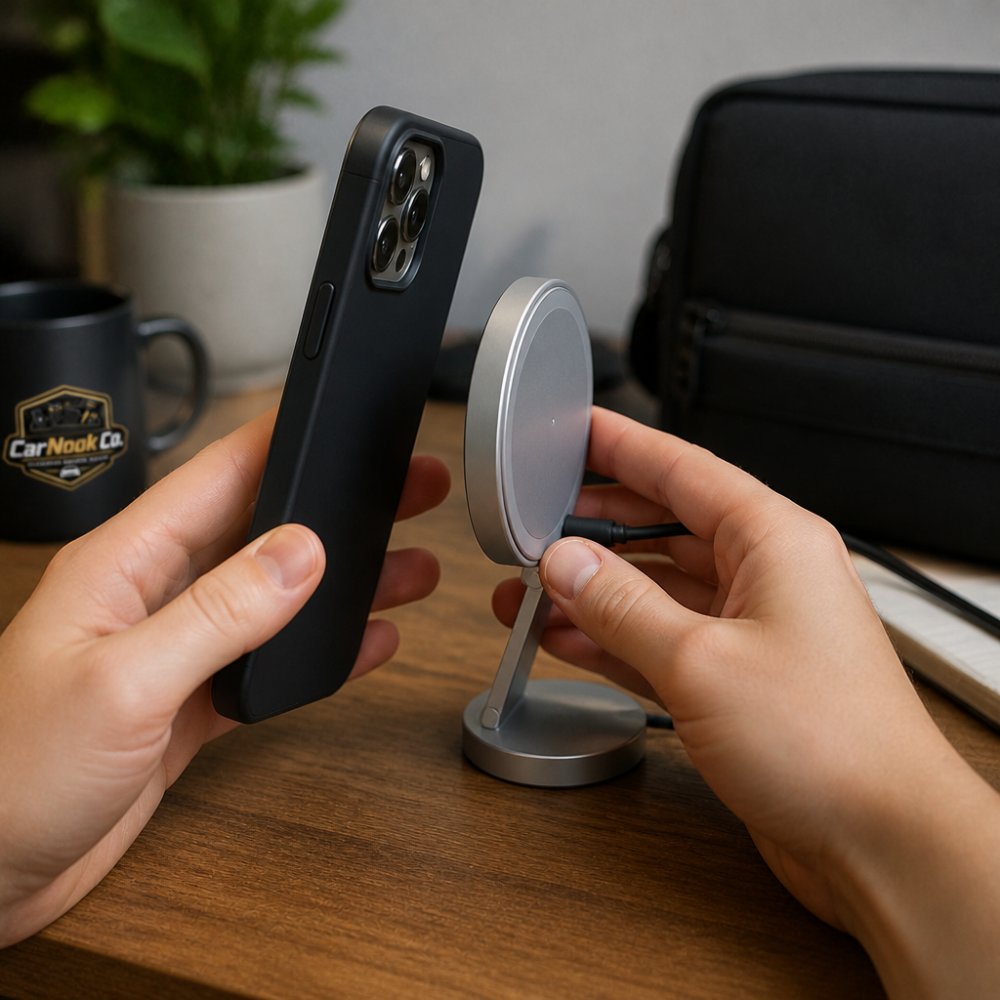
A single magnet test won't tell you whether your case works with every MagSafe accessory, because chargers, wallets, car mounts, stands, and grips each stress a different part of the connection. Run the tests below in order and note which ones pass, that tells you which accessory categories are realistic for your case.
Test 1: Confirm what your phone already has. Recent iPhone models include a built-in magnet array; many Android phones do not, and older iPhones may have weaker arrays. If your phone lacks native magnets, a case alone won't create a magnetic connection, you'll need a magnetic adapter or a MagSafe-compatible case with embedded magnets. Check your phone's specifications before assuming the case is the problem.
Test 2: The material and metal check. Hold a small magnet (a fridge magnet or a magnetic ring works) against the outside back of your cased phone. Two things to watch:
Also flex the case gently and look for a metal frame, metal corners, or a hidden plate behind the lining. Product descriptions sometimes mention "metal reinforcement" or "magnetic plate included", those are the cases most likely to interfere.
Test 3: The accessory-specific hold test. This is where most guides stop short. Test with the actual accessory category you plan to use:
Test 4: Compare with the case off. Remove the case and repeat the same accessory tests directly on the phone. The difference tells you how much the case is costing you. A small drop in hold is normal; a dramatic drop usually means the case material or thickness is the limiting factor.

Test 5: The heat and consistency check. Charge the cased phone wirelessly for a few minutes, then feel the back of the case. Warm is normal; noticeably hot, or charging that starts and stops, can indicate the case is forcing the charger to work harder or misaligning the coils.
If your case passes most tests, you're in good shape. If it fails the charger test but passes the mount test, a magnetic ring (covered below) can bridge the gap for attachment while you charge with the case off. If it fails everything, a MagSafe-compatible case is usually the cleaner path.
Wireless charging through a case depends on case thickness and material, not on magnetic strength.
A MagSafe charger combines magnets that hold your phone in place with a wireless charging coil that sends power through the case. Thin plastic and rubber cases usually allow charging to work fine. Thick cases, cases with metal, and cases with certain composite materials can block the signal or slow charging speed.
Test this the same way you test magnetic attachment: place your cased phone on a wireless charger and see if it charges. If it doesn't, your case is blocking the signal.
Some people find that wireless charging works through their case but charges slowly, often with thicker cases or cases with metal reinforcements. If wireless charging doesn't work through your case, you have two options: remove the case to charge, or add a magnetic adapter that sits on top of your case (covered next).
A magnetic ring (sometimes called a magnetic adapter or magnet ring) is a thin metal ring with adhesive on one side that you stick to the back of a non-magnetic case, giving MagSafe accessories a magnetic surface to grab. It's the most common retrofit, but it isn't a universal fix, the ring's placement, adhesion, and the accessory you pair it with all affect whether it works.
How a magnetic ring actually works. The ring itself is typically metal, not a magnet. It responds to the magnets inside MagSafe accessories, which creates the hold. Because the ring is thin, it usually doesn't block wireless charging on its own, but its position on the case back can shift where the charger's coils line up, which is the more common problem.
CarNook™ DotWave MagSafe Phone Case →
Placement matters more than people expect. MagSafe accessories expect a magnet array centered on the back of the phone, aligned with the charging coil. If you place the ring off-center, accessories may attach but sit crooked, and chargers may not align. Before sticking anything down:
If you plan to use a wireless charger with the ring installed, test the charger before committing to the final position. Some users find that a slightly offset ring lets the charger coil align better; others find the opposite. The right position depends on your specific case and charger.
Adhesion and case damage. Adhesive rings can fail over time, especially on textured, oily, or curved case backs. Clean the case back and let it dry fully before applying, then press firmly and follow the ring manufacturer's instructions for how long to let the adhesive set, those requirements vary by product. When removing a ring, peel slowly and at a low angle; some adhesives can leave residue or lift printed designs, especially on soft-touch or leather-style cases.
Which accessories a ring helps, and which it doesn't.
Ring vs. built-in MagSafe case. A ring is cheaper and lets you keep a case you already like. A case with embedded magnets typically offers cleaner alignment and a flatter back. Neither is universally better, it depends on how many accessories you use and how much you care about the bump a ring adds.
If you'd rather skip the retrofit entirely, CarNook Co. offers MagSafe-compatible cases such as the CarNook™ DotWave MagSafe Phone Case and the CarNook™ RidgeMag Leather Phone Case with magnets built in, so you get the hold without the adhesive step.


Car mounts are one of the most common uses for MagSafe accessories, and the magnetic hold keeps your phone stable during driving, even on bumpy roads.
Whether a MagSafe car mount works with your case depends on the same factors: case thickness, material, and metal content. A thin case usually allows the mount to work, while a thick or metal-reinforced case may create a weak connection. Test your case before buying a mount using the method from earlier in this guide.
If your case doesn't pass the test, you have options:
CarNook Co. offers the CarNook™ Magnetic Wireless Car Mount, which combines a strong magnetic hold with wireless charging. If you're using it with a case, test compatibility first using the method above.
Many drivers find that a thin protective case works well for car mounts, providing protection without interfering with the magnetic connection.
MagSafe wallets stick to the back of your phone to carry cards or cash. They're convenient but add weight.
A wallet attached to a cased phone needs a strong magnetic connection. If your case weakens the hold, the wallet may slip or fall. Test by attaching the wallet to your cased phone and gently tugging on it, a strong connection should hold firm, while a weak one will slide or drop.
If the connection feels shaky, adding a magnetic ring to your case can help. Lighter wallets work better with weaker magnetic connections, so if you want to carry a heavy wallet, make sure your case allows a strong hold.
One thing to watch: a metal wallet or a wallet with metal card holders can interfere with the magnetic field. Test your specific wallet with your specific case before relying on it daily.
At some point, adding adapters and rings stops making sense. If you're using MagSafe accessories regularly, a built-in MagSafe case offers cleaner integration and stronger connections, with magnets embedded in the case itself and no adapters needed.
Consider upgrading if:
CarNook Co. offers the CarNook™ DotWave MagSafe Phone Case and the CarNook™ RidgeMag Leather Phone Case, both designed with built-in magnetic compatibility. These cases provide reliable magnetic attachment while protecting your phone.
If you love your current case, stick with it and use adapters. If you're frustrated with weak connections or constantly adding accessories, a built-in MagSafe case removes the friction.
Using MagSafe accessories with your existing case is often possible, but success depends on case thickness, material, and whether it contains metal. Test your case before buying accessories. If your case doesn't work, add a magnetic ring, switch to a thinner case, or upgrade to a built-in MagSafe case.
The right choice depends on your priorities. If you want to keep your current case, adapters work fine. If you use MagSafe accessories daily, a purpose-built case like the CarNook™ DotWave MagSafe Phone Case provides stronger, more reliable connections. Explore CarNook's MagSafe-compatible cases and accessories to find the setup that works for your phone and the way you carry it every day.
Yes, you can use some MagSafe accessories with a regular case, but compatibility depends on case material and thickness. Non-metallic cases under 2mm thick typically allow weak to moderate magnetic connection. Cases with metal plates or inserts may interfere with the magnetic field. Test the attachment before relying on it for important uses like car mounting. If the connection feels loose or unreliable, consider adding a magnetic ring or upgrading to a case with built-in magnetic compatibility.
No, you do not need a MagSafe case to use a MagSafe charger. Wireless charging passes through most phone cases without requiring magnetic attachment. However, metal plates, thick cases, or cases with metal inserts can reduce charging efficiency or alignment. If your current case allows good wireless charging performance, you can use a MagSafe charger without upgrading. Test charging speed and alignment with your existing case first.
Yes, thicker cases reduce both magnetic strength and charging efficiency. Each millimeter of case material weakens the magnetic field. Cases thicker than 3mm may create weak or inconsistent connections with magnetic accessories and slower charging speeds. If your case is thick, test the specific accessory before purchasing. For reliable magnetic attachment and fast charging, thinner cases or cases with built-in magnetic compatibility work better.
Yes, you can add a magnetic ring to most existing cases using adhesive magnet rings designed for phones. These rings stick to the back of your case and provide magnetic attachment points for compatible accessories. Installation is simple: clean the case surface, position the ring where you want it, and press firmly. Adhesive magnet rings work well on non-metallic cases and typically hold securely. Follow the manufacturer's instructions for your specific ring to ensure proper adhesion and durability.

