


⚡ Free Express Shipping in USA✦
🔥 Newest Arrival Collection Live Now✦
✨ SUBSCRIBE TO GET YOUR 10% Off✦

Last Updated: October 8, 2026
MagSafe is a magnetic connection system that lets your iPhone attach to compatible accessories and mounts without cables or clamps. For road trips, the appeal is straightforward: hands-free navigation, wireless charging capability, and a cleaner dashboard setup. But is MagSafe worth it for road trips depends on your phone model, vehicle setup, and how you actually drive.
The core advantage is convenience. A magnetic attachment means you can snap your phone onto a mount, a charger, or a car dashboard holder in one motion. No fumbling with clamps or adjusting angles. If you're switching between navigation, music, and calls, that speed matters. For long drives where your phone might move between your lap, a crossbody case, and your car mount, MagSafe's snap-on design reduces friction.

The catch: MagSafe compatibility isn't universal. iPhones from iPhone 12 onward have built-in MagSafe support. Older iPhones and most Android phones don't. If you have an older device or switch between phones, MagSafe accessories won't work unless you add a separate magnetic attachment.
For road trips specifically, is MagSafe worth it hinges on three factors: whether your phone supports it, whether you want wireless charging in your car, and whether you prioritize dashboard cleanliness over more strong mounting options.
A MagSafe car mount holds your phone using magnetic force instead of mechanical clamps. The setup is simple: attach the mount to your dashboard or air vent, snap your phone on, and you're ready. No tightening, no adjustment screws, no risk of over-clamping your device.
CarNook offers the CarNook™ Magnetic Wireless Car Mount at $34.99, which combines magnetic holding with wireless charging. The vent-mounted design keeps your dashboard minimal, and the adjustable angle lets you position your phone for navigation or calls. For road trips where you're using GPS constantly, this eliminates the need for a separate charging cable running to your phone.
Alternatively, the CarNook™ DashGrip Phone Mount at $24.99 is a simpler dashboard-mounted option without charging capability. It's lighter on your dashboard and works with many phone sizes, making it practical if you're renting different vehicles during your trip.
Installation matters. Dashboard mounts typically use adhesive pads, which require a clean surface and time to set properly. Air vent mounts use clips and don't require adhesive, but they can obstruct climate control airflow.
The real advantage of a MagSafe car mount for road trips is the one-handed attachment. When you're pulling over to adjust navigation or handing your phone to a passenger, the magnetic snap-on is faster than any clamp-based alternative.
A regular car charger uses a wired USB connection, your phone plugs in, and power flows. A MagSafe car mount with wireless charging uses magnetic alignment to transfer power wirelessly.

Charging speed: Wired charging is typically faster. MagSafe wireless charging tops out at 15W in most cases, and real-world speeds often run lower depending on your phone model and the charger quality.
Cable management: Wired chargers mean a cable running from your power outlet to your phone. That cable can tangle, get in the way, or create clutter in your cup holder or console.
Flexibility: A wired charger is tied to one location. If you want to charge your phone while holding it in your hand or placing it elsewhere, you need a different cable.
Heat: Both methods generate heat during charging, but the interaction differs. Wired charging heats your phone directly.
Compatibility: Wired chargers work with any phone that has a USB port. MagSafe only works with compatible iPhones and MagSafe-compatible accessories.
For road trips, the choice depends on your priorities. If charging speed and universal compatibility matter most, a regular wired car charger is the practical choice.
One of the biggest selling points of a MagSafe car mount with wireless charging is the ability to charge your phone while using GPS for navigation. In theory, this solves a common road trip problem: your phone drains faster when running navigation, so you want to charge it while driving.
In practice, this works, but with caveats. Your phone will charge while mounted and navigating, assuming the mount is properly aligned and your phone is in a MagSafe-compatible case. The charging speed will be slower than a wired charger, so you're topping up your battery rather than rapidly charging it.
The real convenience is the single-motion attachment. You don't need to plug in a cable, position a clamp, or manage wires. Snap your phone on the mount and go. For a quick stop where you want to check your route and power up, this speed matters.
However, there's a practical limit. If your phone is already low on battery and you need it charged quickly before a long stretch of highway, a wired charger is more reliable. A MagSafe mount will charge your phone, but more slowly.
For most road trips, charging while navigating with MagSafe is convenient and practical. It's not a replacement for a high-speed wired charger, but it covers the common scenario of wanting to keep your phone powered during navigation without managing cables.
Most MagSafe coverage treats stability as a yes-or-no question. On a road trip it is not. What matters is how the mount holds up across the specific surfaces you will actually drive on: smooth interstate, patched asphalt, washboard gravel, and the kind of expansion-joint chatter you get on older bridges.
A MagSafe-style mount holds your phone with an array of magnets that align to a ring of magnets (or a magnet-sensing ring) in the phone or case. The connection is strong in shear, meaning the phone resists sliding sideways along the mount face. It is comparatively weaker in peel, meaning a force that lifts one edge of the phone away from the mount face can break the connection more easily than a straight pull.
That distinction explains almost every real-world detachment. Bumps do not usually rip a phone straight off a mount. They cause the phone to rock, and the rocking converts into a peel force at the edge of the magnetic ring. The larger the phone, the heavier it is, and the further its center of mass sits from the mount face, the more leverage that rocking motion has.
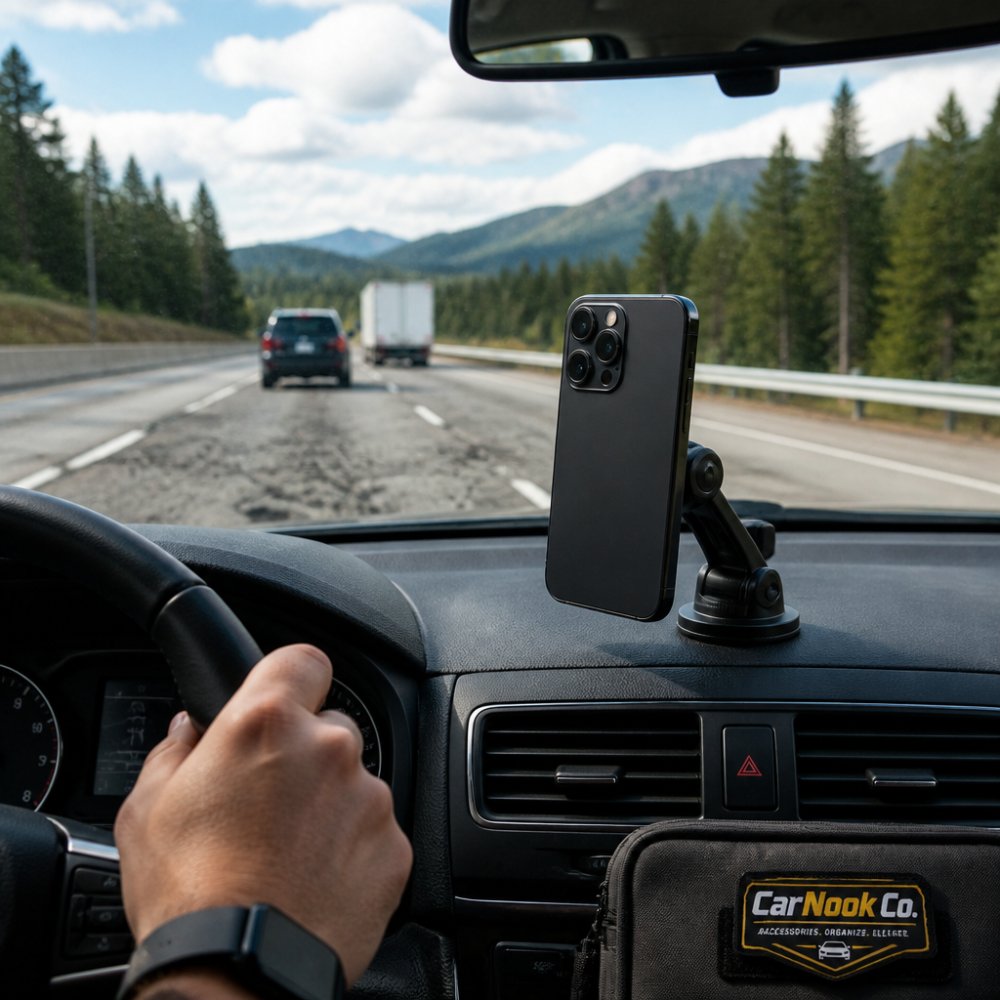
Before you rely on any magnetic mount for a long drive, run this check in your own vehicle:
If the phone shifts or feels loose at step 4, the fix is usually the case, not the mount. A MagSafe-compatible case with a proper magnet ring often restores a solid connection.
On extended off-road driving, washboard gravel, or anything that produces sustained high-frequency vibration, a magnetic connection may not be the right choice for your setup. Mechanical clamps grip the phone physically and do not depend on magnet alignment, and some drivers prefer them for that reason on rough terrain.
For typical road trips on paved highways and maintained roads, a quality MagSafe-compatible mount with a compatible case and a sensible angle is usually secure enough. The variables that matter most are the ones you control: case choice, mount angle, and how you test before you drive.
Not all phone cases work well with MagSafe. Some cases are too thick and weaken the magnetic connection. Others have metal components that interfere with alignment. For road trips, choosing the right case is important because you'll be using your phone frequently, and a weak connection defeats the purpose of MagSafe.
CarNook™ Magnetic Wireless Car Mount →
A MagSafe-compatible phone case is designed to work with MagSafe accessories. It may have built-in magnets, metal rings, or materials that allow MagSafe to attach securely. These cases are explicitly marketed as MagSafe-compatible, and they're worth the investment if you're building a MagSafe setup.
Generic cases often work with MagSafe, but performance varies. Thin cases typically have no interference. Thick protective cases can reduce magnetic strength. Cases with metal plate inserts for other mounts might interfere with MagSafe alignment.
For road trips, the priority is finding a case that protects your phone and works reliably with your chosen mount. If you already have a case you like, test it with a MagSafe mount before relying on it. Place your phone on the mount and gently tilt it to see if it feels secure. If it slips or feels loose, the case might be interfering.
The advantage of a dedicated MagSafe-compatible phone case is certainty. You know it will work reliably with all your MagSafe accessories, whether that's a car mount, a charging stand, or a crossbody case. For road trips where you're relying on your phone for navigation and communication, that reliability is valuable.
During long road trips, your phone is working hard. GPS navigation drains battery, screen brightness is high, and you're likely charging the phone at the same time. Heat is a natural byproduct, and managing it matters for battery health.
When you charge a phone wirelessly, heat is generated. When you mount a phone on a MagSafe car mount in direct sunlight on a hot day, the phone heats up from the environment. Combined, these factors can raise your phone's temperature significantly.
Battery health degrades faster when phones are consistently exposed to high temperatures.
This isn't a deal-breaker, it's a normal consequence of heavy phone use during road trips. The key is awareness. If you're concerned about battery health, consider these practical steps:
For typical road trips, the heat generated by MagSafe charging is manageable. Your phone is designed to handle it. But on extended trips in hot climates, keeping an eye on your phone's temperature is reasonable.
Wireless charging is also slightly less efficient than wired charging, meaning more energy is converted to heat. If you're prioritizing battery health and charging speed, a wired charger is the better choice. If you're prioritizing convenience and don't mind slightly slower charging, MagSafe is acceptable.
Cost is where most MagSafe articles get vague. They list a mount price and stop. A real road-trip setup usually involves more than one part, and the parts you already own change the math completely.
MagSafe-compatible wireless setup
Wired fast-charging setup
Built-in vehicle wireless pad
Multi-device road trip

The upfront cost of a MagSafe-compatible setup and a wired setup are often in the same range once you count the case and the power source. The difference is what you get for it:
The most cost-effective road-trip setup for many drivers is a hybrid: a wired fast charger for quick top-ups at stops, plus a magnetic mount for navigation visibility while driving. That combination covers both jobs without duplicating hardware.
If you want to compare specific options, browse CarNook's car phone mounts and MagSafe-compatible accessories to see which combination fits your vehicle and phone.
Answering these five questions first usually prevents the most common wasted purchase: a mount that does not hold because the case was never compatible in the first place.
Is MagSafe worth it for road trips? The answer depends on what you prioritize.
MagSafe makes sense if:
MagSafe is less practical if:
For typical road trips on paved highways with regular stops, MagSafe is worth considering. The convenience of one-handed attachment and the clean dashboard setup appeal to many drivers. Charging speed is adequate for maintaining battery during navigation, even if it's not as fast as wired alternatives.
The best approach depends on your vehicle, phone model, and driving habits. If you're unsure, start with a basic MagSafe mount and test it on a short trip before committing to a full setup. Many drivers find that the convenience outweighs the trade-offs, especially on road trips where you're managing multiple tasks while driving.
For road trips where you're constantly switching between navigation, music, and communication, a reliable phone mount makes a real difference. CarNook's collection of car phone mounts and MagSafe accessories is designed to keep your phone secure and accessible without cluttering your dashboard. Whether you choose MagSafe wireless charging or a traditional wired setup, having the right mount ensures your phone stays where you need it during every mile of your journey.
It depends on what you're using now. If your current mount doesn't charge your phone or requires a case removal, MagSafe can simplify setup and keep your phone powered during long navigation sessions. MagSafe mounts offer faster one-hand attachment and cleaner aesthetics, but if your existing mount is stable and meets your needs, the upgrade may not be essential. Test whether charging while driving is important for your typical road trip length.
MagSafe mounts can hold phones securely on bumpy roads, though performance depends on the specific mount design, your phone's weight, and the strength of the magnetic connection. Test your setup on your vehicle's typical road conditions before a long trip to confirm stability.
Most MagSafe car mounts work with MagSafe-compatible cases, but compatibility depends on case thickness and the mount's magnetic strength. Thicker cases or metal-reinforced cases may reduce magnetic grip. Check the mount's specifications and test the attachment before relying on it during a road trip. If you prefer a protective case, confirm that your chosen case and mount work together reliably.
Magnetic connections themselves don't damage batteries. However, extended charging combined with heat from navigation use can affect battery health over time. Wireless charging generates more heat than wired charging. On long road trips, monitor your phone's temperature and consider using wired charging if your phone becomes hot, or take breaks to let it cool. Newer iPhones have thermal management features that help protect the battery.

