



Table of Contents
- What Makes a Phone Stand Truly Universal for Travel
- Quick Comparison: Top Universal Phone Stands for Travel
- 1. CarNook FreeView Neck Phone Holder: Best for Hands-Free Viewing on the Go
- 2. CarNook MagWallet Phone Stand: Best MagSafe Travel Accessory for Minimalists
- 3. CarNook WoodDock Phone Stand: Best Desktop Companion for Hotel Rooms
- How to Choose the Best Airplane Phone Holder for Your Seat
- Hands-Free Phone Viewing Tips for Flights, Trains, and Road Trips
- TSA Checkpoints, Extreme Climates, and Long-Haul Ergonomics: What Most Guides Miss
- Conclusion: Picking Your Travel Phone Stand
- Frequently Asked Questions
Last Updated: September 11, 2026
What Makes a Phone Stand Truly Universal for Travel
A universal phone stand for travel is a compact, adjustable device holder that keeps a smartphone upright and viewable without requiring hands, tools, or a permanent surface. The best models fold flat, grip firmly on tray tables and hotel desks, and fit phones of nearly any size. This guide from CarNook Co. breaks down what separates a genuinely useful travel stand from one that rattles in a carry-on and never gets used again.

Most shoppers assume "universal" means it fits any phone. In practice, the word describes three separate things: device compatibility, surface compatibility, and angle flexibility. A stand can hold a large phone securely and still fail on a plane because its base is too wide for a tray table.
The TSA guidance on traveling with electronics confirms that phones and small accessories can stay in carry-on bags, so the real constraint is not security rules. It is size, weight, and whether the stand survives being packed and unpacked a dozen times.
Below, we cover the three CarNook stands built for travel, plus the selection criteria that matter more than brand labels.
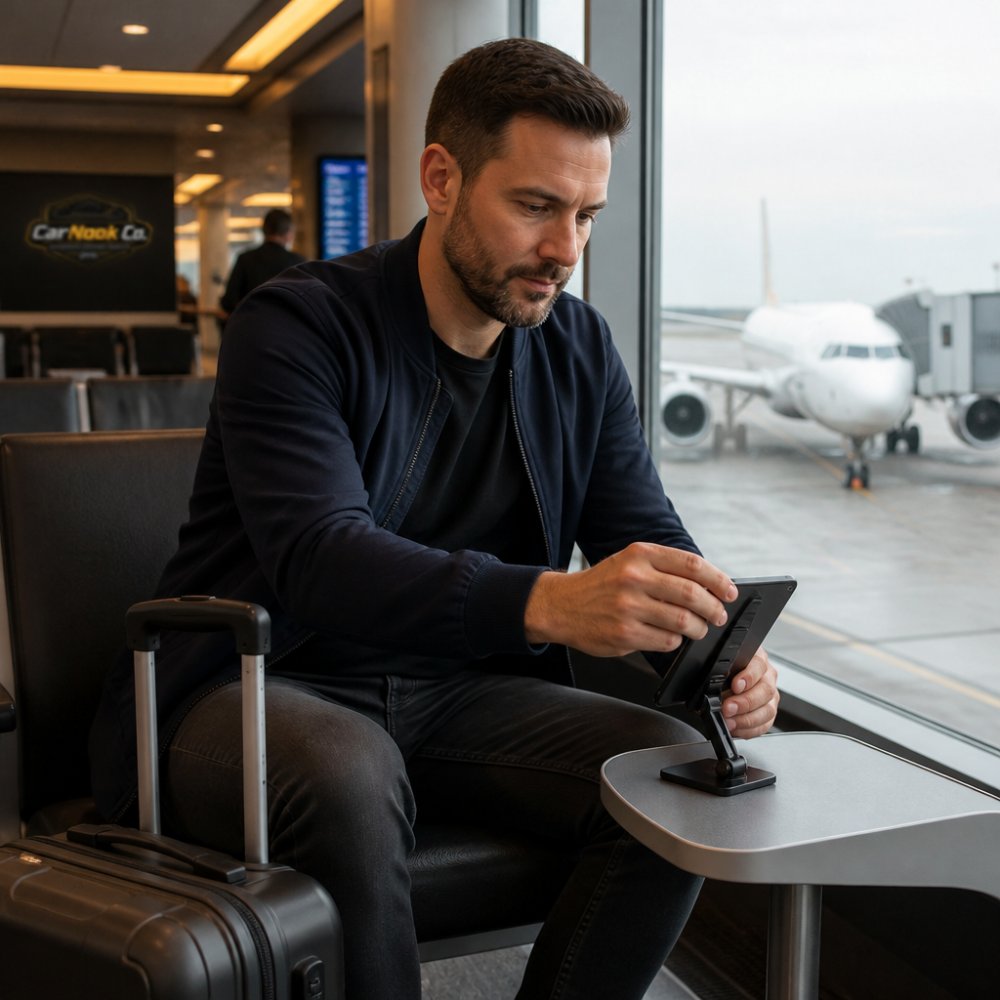
Quick Comparison: Top Universal Phone Stands for Travel
The three stands below cover different travel needs: hands-free viewing on the move, magnetic minimalism, and a stable desktop perch for hotel rooms.
| Product | Price | Best For | Key Feature | Packability |
|---|---|---|---|---|
| CarNook FreeView Neck Phone Holder | $24.99 | Hands-free viewing on the go | Flexible neck design | Lightweight, easy to carry |
| CarNook MagWallet Phone Stand | $44.99 | MagSafe travel minimalists | Card storage plus stand | Slim, pocket-friendly |
| CarNook WoodDock Phone Stand | $24.99 | Hotel room and desk use | Solid wood build | Compact and lightweight |
Each option works with many smartphone sizes, and each solves a different problem. The sections below explain which one fits which trip.

1. CarNook FreeView Neck Phone Holder: Best for Hands-Free Viewing on the Go
The FreeView is the pick for travelers who want their phone in front of them without holding it. It rests around the neck, and the flexible design positions the phone at an adjustable angle for watching videos, following a recipe, or recording point-of-view footage.
Where it earns its place in a carry-on: airports, train seats, and hotel breakfast counters where there is no flat surface to prop a phone against. It is lightweight and easy to carry, and the holder is adjustable for different viewing angles.
The honest limitation is that this is not a tabletop stand. If the goal is a stable base on a nightstand, the WoodDock does that job better. The FreeView solves a different problem: hands-free viewing when no surface exists.
2. CarNook MagWallet Phone Stand: Best MagSafe Travel Accessory for Minimalists
MagSafe travel accessories appeal to travelers who want fewer items, not more. The MagWallet combines card storage with a built-in stand, attaching magnetically to compatible phones and cases so it snaps on and off quickly.
For a minimalist, that combination replaces two things in a pocket: a wallet and a separate stand. The slim, compact design carries easily, and the magnetic attachment means no fiddling with clips at a gate or café table.
The trade-off is compatibility. Magnetic attachment depends on a compatible phone or case, so travelers using a thick non-magnetic case will not get the same experience. Check the case before assuming the magnet will hold.
3. CarNook WoodDock Phone Stand: Best Desktop Companion for Hotel Rooms
Hotel rooms rarely have a good place to put a phone. The WoodDock solves that with a solid wood stand that holds a phone upright on a nightstand, desk, or workspace.
It is the least "travel gadget" of the three, and that is the point. There is no hinge to loosen, no magnet to align, and no battery to charge. It works with many smartphone sizes, stays compact and lightweight, and adds a clean look to a hotel desk rather than a plastic one.
For remote workers who unpack in a hotel room and set up a workspace, this is the stand that earns its space in the bag. It is also the easiest of the three to leave on a home desk between trips.
How to Choose the Best Airplane Phone Holder for Your Seat
The best airplane phone holder is the one that fits the space you actually have. That space is smaller and stranger than most shoppers expect, and it changes depending on where you sit.
Know the real tray-table dimensions. Main Cabin tray tables on most narrow-body jets run roughly 17 to 18 inches wide and about 10 to 11 inches deep, but usable depth shrinks once the latch, cup depression, and seat-back lip eat into the surface. A stand with a footprint wider than about 6 inches, or a base that needs more than 4 inches of flat depth, will overhang the edge and tip the moment the seat in front reclines. Measure your stand's folded footprint before you pack it, not after.
Match the stand to your seat class. Bulkhead and exit-row trays are fixed and often narrower than standard tables, so a low-profile folding stand beats a wide tripod base. First-class and premium-cabin tables are larger and often have a lip you can hook a clip-style stand onto. Window seats give you the side wall as a backup lean point; aisle seats do not, which is why a stand that depends on a wall for stability is a bad aisle-seat pick.
Test the hinge under load, not empty. A hinge that holds a bare phone can still sag under a phone plus a case plus a pop-socket. Before a trip, mount your heaviest realistic setup and leave it for ten minutes. If the angle drifts, the hinge will fail by hour three of a flight.
Check portrait and landscape grip. Most tray-table viewing is landscape for movies, but boarding passes, maps, and messaging are portrait. A stand that only grips one orientation forces you to hold the phone for half the trip.
Weigh the packability trade-off. A stand that folds to under an inch thick disappears into a personal item; one that folds to two inches competes with your charger for space. If you carry a personal item only, thickness matters more than weight.
Plan for the seat-back pocket. Soft, slumping seat-back pockets are where stands get crushed. A stand with a rigid spine or a hard-shell case survives the pocket; a thin plastic hinge does not.
A stand that answers all of these is worth packing. One that fails the footprint test will sit unused for the entire trip.
The FAA passenger guidance on carry-on items is a useful reference for what can travel in the cabin, though the practical limit for a phone stand is bag space, not regulation.

Hands-Free Phone Viewing Tips for Flights, Trains, and Road Trips
Hands-free viewing comes down to four variables most guides skip: angle, stability, reach, and power. Get all four right and a phone becomes usable for hours without neck strain or a dead battery at the gate.
Fix the angle first, this is the ergonomics gap. The average adult head weighs about 10 to 11 pounds, and every inch the chin drops toward the chest multiplies the load on the neck muscles. Looking down at a phone flat on a tray for a three-hour movie is the single biggest cause of arrival-day soreness. Raise the screen so the top edge sits at or slightly below eye level, then tilt it back 10 to 15 degrees. That one adjustment keeps the head neutral instead of tilted down, and it is the difference most travelers feel by hour two.
Stability beats cleverness. A stand that wobbles is worse than no stand, because you keep reaching to steady it. On a tray table, push the base back until it touches the seat-back lip so the table's own edge braces it. On a train, use the seat-back table rather than balancing a device on a knee, train tables are deeper than airplane trays but vibrate more, so a wider base wins.
Keep it within arm's reach. Pausing a video should not require unbuckling or twisting. Set the stand at the front edge of your usable space, not the far corner.
Plan the power path, this is the charging gap. A phone streaming video for four hours will drain fast, and a stand that blocks the charging port is useless on a long flight. Route the cable before you mount the phone: run it along the back of the stand, secure it with a small clip or a loop of tape, and leave slack so a seatmate stepping past does not yank the phone off the tray. A stand that leaves the port accessible in both portrait and landscape is worth more than one with a prettier finish.
Match the mode to the task. Landscape for movies and games, portrait for reading, maps, and messaging. A stand that grips only one orientation forces you to hold the phone for half the trip.
For road trips, a stand is not a substitute for a proper car mount. A phone that shifts while driving is a distraction, not a convenience. CarNook car phone mounts are built for that job, while a travel stand handles the parked and stationary moments: rest stops, hotel rooms, and campsites.
- Angle the screen toward your eyes, not your lap
- Push the base against a lip or edge for bracing
- Route and secure the charging cable before mounting
- Store the stand in the same pocket every trip so it is never left behind
TSA Checkpoints, Extreme Climates, and Long-Haul Ergonomics: What Most Guides Miss
Three issues rarely appear in travel stand roundups, and all three affect whether a stand survives a real trip.
Checkpoint handling. A stand that lives loose in a bag gets jostled at every security lane. Keeping it in a dedicated pouch or a zipped pocket prevents hinge damage and lost parts. Nothing about a phone stand requires special screening, but repeated rough handling does shorten its life.
Temperature swings. A stand left in a hot car or a cold cargo hold goes through real stress. Metal hinges and plastic clips expand and contract at different rates, which is why hinge tension is the first thing to fail on a cheap stand. A solid wood or simple metal design has fewer moving parts to wear out.
Long-haul ergonomics. On a flight over six hours, the difference between a screen at eye level and a screen on a tray is the difference between arriving rested and arriving sore. A neck holder or a raised stand keeps the head neutral instead of tilted down for hours.
Conclusion: Picking Your Travel Phone Stand
Choosing a universal phone stand for travel is less about finding the single best model and more about matching the stand to the trip. A neck holder suits hands-free viewing on the move, a magnetic wallet stand suits minimalists who want one item instead of two, and a solid wood dock suits anyone who sets up a workspace in a hotel room.
Travelers who want all three covered can explore the CarNook travel accessories collection, which includes phone stands and holders, MagSafe accessories, and crossbody phone cases designed to keep devices secure and organized on the go. Start with the stand that matches the next trip, then build from there.
Frequently Asked Questions
What is the best phone stand for travel?
The best travel phone stand depends on how you move. For hands-free viewing while walking or standing, a neck holder like the CarNook FreeView keeps your phone stable without using your hands. For minimalists who want a wallet and stand in one, the CarNook MagWallet Phone Stand attaches magnetically and folds flat. For hotel rooms or desks, the CarNook WoodDock offers a sturdy, compact base. Look for adjustable angles, lightweight build, and compatibility with your phone size.
How do I keep my phone upright on an airplane tray table?
Tray tables are small and often slippery, so a stand with a non-slip base and adjustable angle works best. Foldable stands that pack flat are ideal for carry-on luggage. If you prefer not to use the tray table at all, a neck phone holder keeps your phone at eye level without taking up space. Test the hinge tension before your flight to make sure it holds your phone's weight at the angle you want.
Are magnetic phone stands better for travel than foldable ones?
Magnetic stands like the CarNook MagWallet Phone Stand are great for quick attachment and removal, especially if you use a MagSafe-compatible case. They double as wallet storage, which cuts down on what you carry. Foldable stands are more universal because they work with any phone, magnetic or not. If you switch devices often or travel with a non-magnetic phone, a foldable or neck-style holder may be more flexible.
Can a phone stand help with ergonomic comfort while traveling?
Yes. Holding your phone for hours on a long flight or train ride can strain your neck and wrists. A stand that raises your phone to eye level, like a neck holder or an adjustable desktop stand, reduces the need to look down. For long-haul trips, set the angle so your phone is slightly below eye level and your shoulders stay relaxed. This small change can make a big difference on multi-hour journeys.
What should I look for in a travel-friendly phone stand?
Prioritize portability, stability, and compatibility. A good travel stand folds flat or packs small, weighs little, and has a non-slip base or secure grip. Check that it fits your phone's size and case. If you use MagSafe accessories, look for magnetic alignment. For flights, consider TSA-friendly designs that won't snag in security. Finally, think about versatility: a stand that works on a tray table, hotel desk, and airport lounge earns its place in your bag.