


⚡ Free Express Shipping in USA✦
🔥 Newest Arrival Collection Live Now✦
✨ SUBSCRIBE TO GET YOUR 10% Off✦

Last Updated: October 26, 2026
Quick Summary
A car phone mount hot weather scenario can affect your device and mounting system through direct sunlight exposure, internal heat from navigation and charging, and trapped air preventing heat escape. Keeping your phone out of direct sun, using a vent mount, aiming airflow at the phone's back, and lowering screen brightness can help maintain secure mounting and prevent overheating.
A car phone mount hot weather scenario can affect your device and its mounting system. Understanding these challenges can help you choose a mount for your needs.
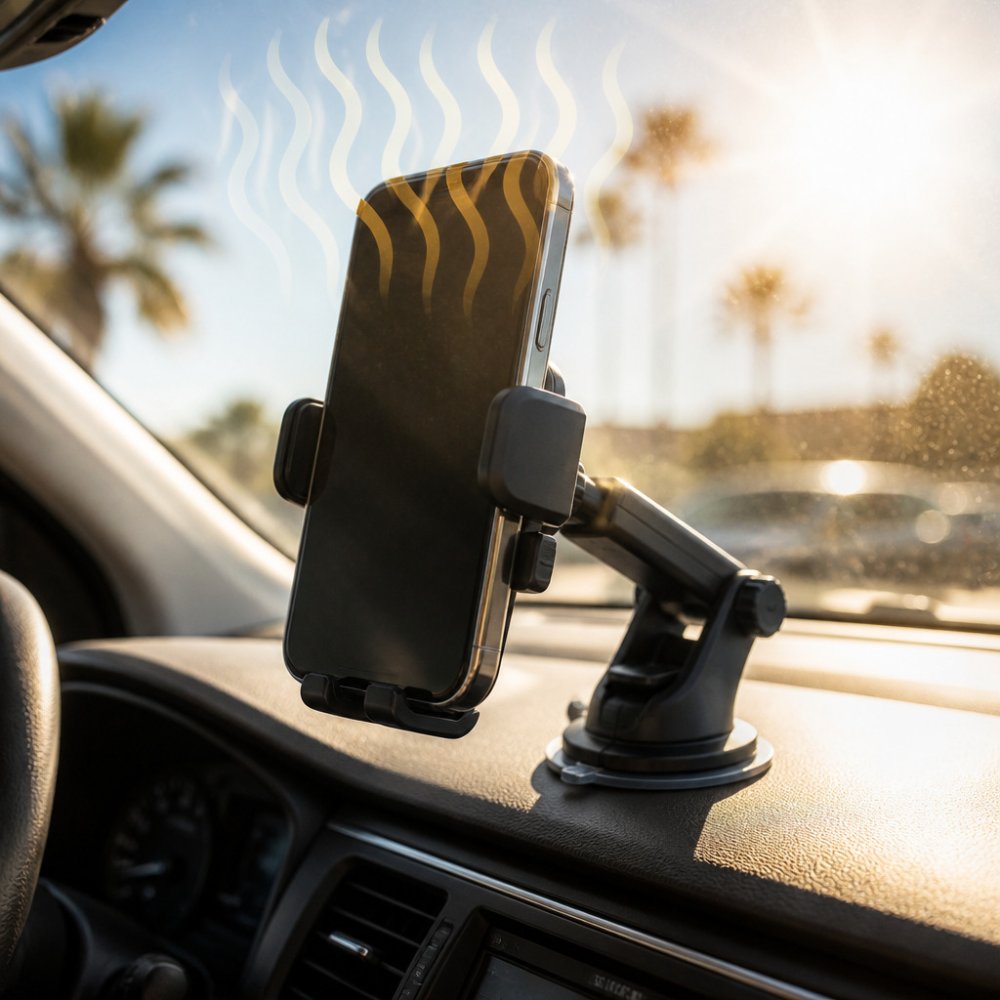
Placement matters too. Direct sunlight exposure can contribute to heat buildup.
Different mounting styles offer different benefits for hot weather driving. Your choice depends on your vehicle type, phone size, and how much heat your car typically experiences.
Dashboard mounts sit on your dashboard, while windshield mounts attach to the glass. These options can keep your phone visible for navigation.
Watch out: Windshield mounts may be restricted by state-specific visibility laws. Some states limit the size and placement of objects on windshields to ensure driver visibility.
Vent mounts clip onto your car's air vents.
Magnetic mounts are increasingly popular in hot climates. According to Car and Driver (2026), vent-mounted wireless charging units are increasingly cited as a preferred solution for both cooling and power management. Mechanical locking mechanisms and vent-based mounting systems are more reliable in extreme heat compared to traditional adhesive or suction-based dashboard mounts.
Solutions include moving your mount to a shadier location, using a vent mount instead, or switching to a magnetic system that doesn't depend on suction. Learn more about why car mounts lose suction power and how to fix it. Keeping your car parked in shade during hot days also helps preserve suction-cup performance.
Most mount-focused articles mention heat and cooling in passing. This section takes the opposite approach: a practical, step-by-step prevention guide you can follow on a hot drive, built around how heat actually accumulates in a mounted phone.
A phone in a car mount is dealing with several heat sources at once:
Understanding those four inputs is the key to prevention, because each step below targets one of them. You can find specific strategies to prevent phone overheating while using GPS navigation in the routine that follows.
For a mount that supports airflow around the device rather than pressing it flat against a hot surface, see our vent-mounted options and pair the routine above with a mount position that lets cool air reach the back of the phone.

The trade-off is that vent mounts block some air from reaching your cabin. In very hot weather, this matters less because you're already running the AC. In mild weather, the blocked airflow is more noticeable.
CarNook™ DashGrip Secure Dashboard Smartphone Holder →
Installation quality directly affects performance. A poorly installed mount may fail faster than one installed correctly, regardless of the mount type.
| Attachment Type | Heat Resistance | Best For | Drawback |
|---|---|---|---|
| Suction Cup | Poor | Temporary use | Loses grip in heat |
| Adhesive | Fair | Permanent mounting | Weakens above 140°F |
| Vent Clip | Excellent | Hot climates | Blocks some airflow |
| Magnetic | Excellent | Any climate | Requires metal plate |
Parked-car heat is a different problem from driving heat. When a car sits in the sun, the cabin can get much hotter than the outside air, and a phone left in a mount can soak in that heat for hours. This section covers what to do before you leave the car, how to recognize heat stress on the device, and how to cool things down safely.
Phone makers publish temperature guidance for their devices, and those specifications are the reference point you should follow. In general terms, watch for these signals that a phone is getting too hot:
A shutdown from heat is the device protecting itself. It is not a sign the phone is broken, but repeated heat exposure can shorten battery life over time, so it is worth avoiding rather than managing after the fact.
If you are replacing a mount that has aged out, our heat-conscious mount options are worth a look, and you can read more about how heat affects different attachment types before you choose.
Choosing a car phone mount can involve considering your climate and driving patterns.
Explore the CarNook™ Magnetic Phone Mount for Hands-Free Driving, which has a compact magnetic design and a wireless charging surface for compatible smartphones.
For drivers who prefer dashboard mounting, the CarNook™ DashGrip Secure Dashboard Smartphone Holder has an adjustable viewing angle and is designed for many smartphone sizes. Its compact, foldable design helps keep your dashboard organized.
The CarNook™ Wireless Charging Phone Holder for Your Car is a wireless charging car mount with adjustable viewing position and Qi charging for compatible smartphones.
Your choice of mount can depend on your vehicle, phone, and preferences.
Position your mount away from direct sunlight and air vents when possible. If using a vent mount, ensure the air conditioning airflow reaches the phone. Avoid leaving your phone mounted in a parked car under direct sun. Remove your phone from the mount during long stops. Consider a vent-mounted wireless charging unit, which uses the vehicle's air conditioning system to help regulate device temperature. Limit power-intensive tasks like navigation and video playback during peak heat hours.
Yes. Adhesive-based mounts can lose 40-60% of their holding strength in extreme heat, and at temperatures above 140°F (60°C), adhesive materials lose elasticity. Suction-cup mounts also weaken as heat reduces the seal between the cup and mounting surface. Mechanical mounts with ball joints and telescopic arms tend to hold up better in high temperatures. Test your mount's grip regularly, especially during summer months, and consider switching to a vent-mounted or dashboard clamp option if adhesive failure occurs.
Vent-mounted phone holders are ideal for hot climates because they position your phone near the vehicle's air conditioning airflow. Positioning a mount near air vents can keep the device 10-15°F cooler than dashboard or windshield mounts. Look for vent mounts with adjustable grips that accommodate various phone sizes and cases, and ensure they don't block airflow. Some vent mounts now integrate wireless charging, offering both cooling and power management in one solution.
Yes. A quality car phone mount keeps your phone secure while driving, reduces distractions, and enables hands-free navigation and calls. In hot weather, the right mount choice becomes even more important because it can help manage heat exposure and prevent slippage caused by adhesive or suction-cup failure. The car phone holder market is projected to grow from $1.3 billion in 2026 to $2.0 billion by 2033, reflecting growing consumer demand for reliable mounting solutions. Choosing a heat-resistant mount ensures your phone stays accessible and protected throughout the year.
Keeping your phone secure in hot weather requires choosing the right mount type and installation method. Vent mounts and magnetic systems outperform adhesive and suction alternatives in extreme heat. CarNook Co. offers several heat-resistant options designed for reliable performance in any climate. Explore secure car phone mounts that combine durability with convenient charging and hands-free functionality to upgrade your driving experience.


